Select license settings
The License screen is where you choose how NeoLoad gets its license. Open it any time from Help > License management.
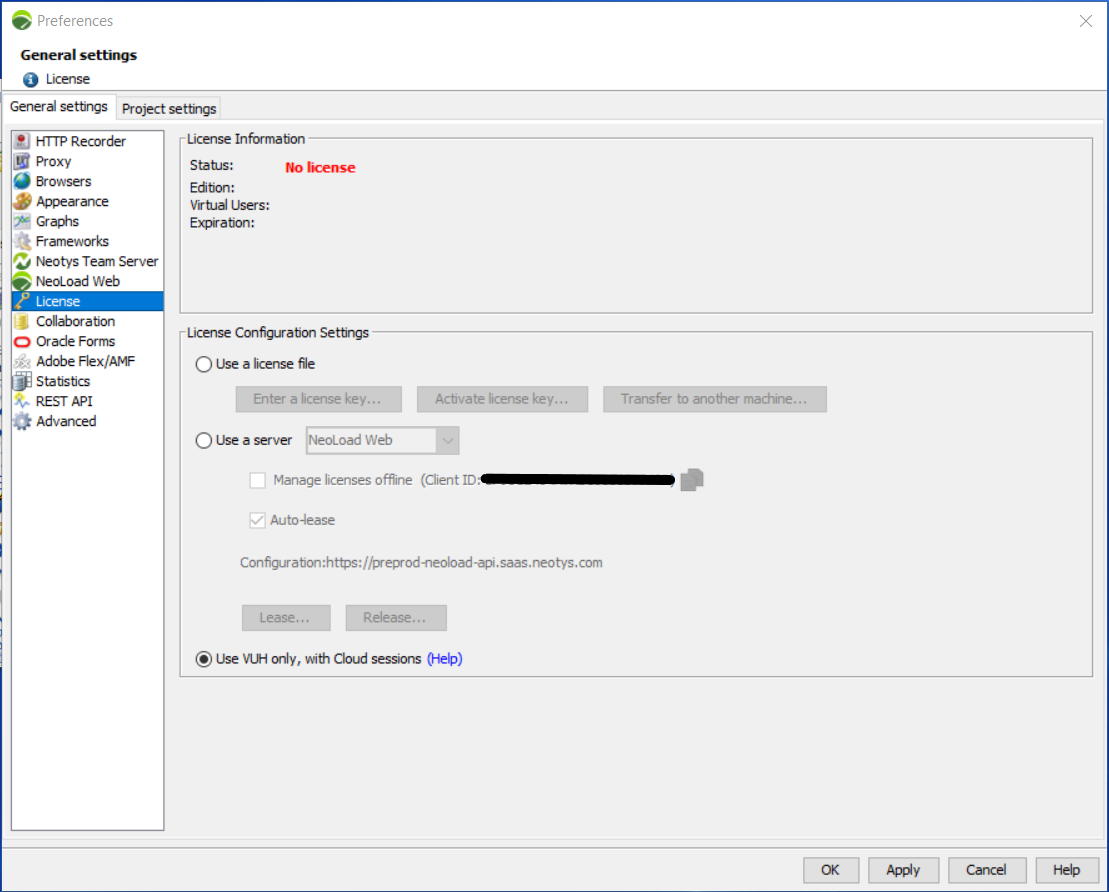
From the License General settings section, you can run NeoLoad in three modes:
-
Use a license file: Run NeoLoad with a license file installed on the machine.
-
Use a server: Run NeoLoad with a license retrieved from NeoLoad Web.
-
Use VUH only, with Cloud sessions: Run Cloud tests with Virtual User Hours instead of a license. For more information, see VUH only.
Use a license file
When you run NeoLoad with a local license file, you can:
-
Load a key with Enter a license key. For more information, see Install a license key.
-
Make the loaded key operational with Activate license key. For more information, see Activate a license key.
-
Move the key to another machine with Transfer to another machine. For more information, see Transfer a license key.
Use a server
When you run NeoLoad with a license from a server, you can:
-
Lease a Virtual Users capacity manually with Lease. For more information, see Lease Virtual Users capacity.
-
Return a Virtual Users capacity with Release. For more information, see Release Virtual Users capacity.
-
Lease a license automatically when a test starts. For more information, see Activate license auto-lease.
-
Manage licenses offline when there's no network connection between NeoLoad and the license server. Select the Manage licenses offline checkbox. For more information, see Manage licenses offline.
-
Add Virtual User Hours on top of your lease to handle peak usage. For more information, see the VUH User Guide.
License Information panel
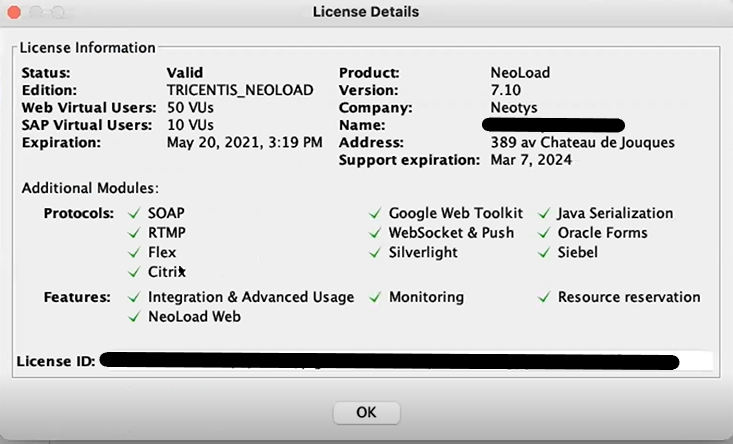
Once you load, activate, or reserve a license, the License Information panel shows the main properties of the license. Select More details to see the full list of authorized modules.