Activate license auto-lease
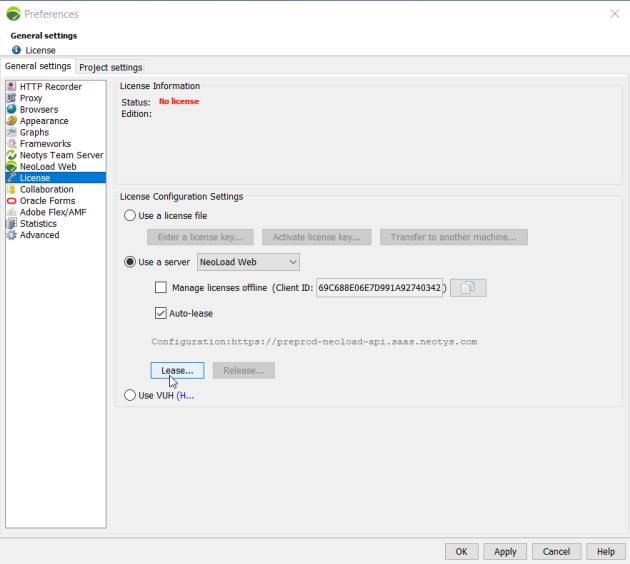
Activate auto-lease so NeoLoad automatically leases a license at the start of a test. You don't have to lease manually before each run.
You can't combine auto-lease with offline license management.
Auto-lease doesn't work with scenarios that have an unknown duration (unlimited or by iterations). If you launch a test with this kind of scenario while auto-lease is on, an error message asks you to lease the license manually.
Before you start
-
You have access to at least one license on your license server.
-
The license has enough Virtual Users for your test.
Activate auto-lease
To activate license auto-lease, follow these steps:
-
Select Help > License Management.
-
In License Configuration Settings, select Use a server.
-
Select NeoLoad Web.
-
Select the Auto-lease checkbox.
-
Select OK.