Transfer a license key
An activated license key is tied to one machine. Transfer the key when you need to move NeoLoad to a new machine, reinstall the product, or hand it off to another user.
The transfer happens in three stages:
-
Deactivate the key on the source machine.
-
Load the cleared key onto the target machine.
-
Activate the key on the target machine.
You don't need to deactivate the current key before activating a new one when you upgrade NeoLoad on the same machine. Deactivation is only required when the two versions are installed on different machines.
Free licenses don't need a transfer. You can use them on any machine.
The central license server can take a few hours to process the deactivation request.
Transfer a license key
To transfer a license key, follow these steps:
-
In NeoLoad, select Help > License Management.
-
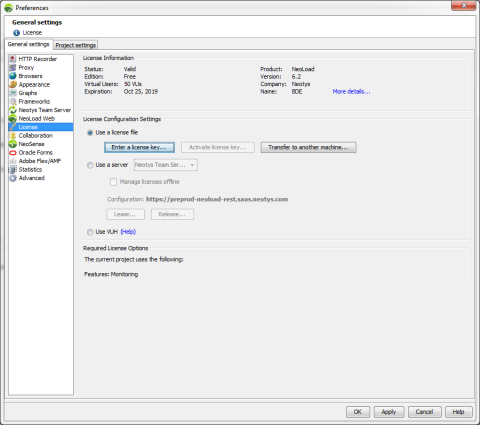
Select License, then select Use a license file.
-
Select Transfer to another machine.
-
Select where to save the deactivation request file, then select Next. NeoLoad creates a
license-inactivation.reqfile. -
Submit the file in the web form on the Deactivate a license page.
-
Select Finish.
The central license server emails you when the license is ready to use on the target machine.
What's next
On the target machine, Install a license key, then Activate a license key.