What's new in qTest Manager
Discover the latest features and enhancements to improve your experience with qTest.
Note that we're rolling out some features gradually, so they might take a few days to show up in your environment.
Looking for bug fixes? Find them here.
October 2026
Convert Tosca Cloud test cases to qTest
Tosca Cloud users can now convert an existing test case into a linked qTest test case. That means you can send test cases in both directions between Tosca Cloud and qTest.
Learn more about how to work with Tosca Cloud test cases in qTest.
Unlink a test case from Tosca Cloud
If you want to edit a test case, you can now unlink it from Tosca Cloud.
Learn more about how to unlink a test case.
Disable the Tosca Cloud integration
You can now disable the Tosca Cloud integration from a qTest project when you need to change workspaces, leave a Tenant Management set, or stop using the integration. Disabling resets Integration Settings and converts linked test cases back to manual.
Learn more about how to disable the Tosca Cloud integration.
Added new Canada region
We've added the ca-central-1 region for Canadian users in North America.
September 2026
Review a coverage plan before you generate test cases
Shape your tests before spending credits to create them with the Review Test Coverage tool.
When you use Agentic Test Creation in AI Chat, the agent now gives you a coverage plan before it generates test cases. Then, you can adjust your test scenarios and get an estimate of how many credits generating your tests will take.
Learn more about how to review the coverage plan.
August 2026
Link a qTest project to an existing Tosca Cloud workspace
When you integrate a qTest project with Tosca Cloud, you can now link it to an existing workspace, instead of always creating a new one. This lets you keep the content and workflows you already have.
Learn more about how to link an existing Tosca Cloud workspace.
New UX changes
We've refreshed our color scheme to provide you visual consistency.
You can opt in to see these changes throughout the month of August.
In September 2026, our user experience changes will go live for all users. You'll still be able to opt out, but that means you won't have access to future improvements as we build in the new user interface.
Activate expired trials
You can now enter a license activation key after your qTest trial has expired. That means you don't need to contact support to activate qTest.
Performance updates
We performed some background changes to improve the overall performance of qTest Manager.
July 2026
Grant AI access through custom user groups
You can now enable the AI User permission in any of your custom user groups, instead of only through the system-generated AI User group. That means if you already manage access through custom groups, you can turn on AI access there without maintaining a separate group.
Learn more about user groups and permissions.
Added new Singapore region
We've added the ap-southeast-1 region for APAC users in Singapore.
Search requirements by Jira custom fields with Data Query
You can now use Data Query to search Jira custom fields that are attached to your qTest requirements.
For example, if your Jira requirements store a business process code in a custom field, you can query your requirements in qTest by that code to find the ones you need.
Learn more about how to run a Data Query for Jira fields.
Jira integration performance updates
We made some background changes to improve the speed and stability of your Jira integrations.
List test runs for a release, test cycle, or test suite with MCP
You can now use the MCP to view test runs that are attached to releases, test cycles, or suites. This gives your agent the ability to retrieve smaller scopes, so it can find failing or blocked runs without loading the entire scope at once.
Learn what MCP tools are available.
Get test execution scope summary with the MCP
You can now use the MCP to retrieve text execution statistics and the structural tree for a release, test cycle, or test suite in a single call. This helps your AI assistant get a test execution analysis before drilling into individual test runs or logs.
Learn what MCP tools are available.
New UX changes
We've refreshed our color scheme to provide you visual consistency.
You can opt in to see these changes throughout the month of July.
In September 2026, our user experience changes will go live for all users. You'll still be able to opt out, but that means you won't have access to future improvements as we build in the new user interface.
June 2026
Integrate qTest with Tosca Cloud
You can now integrate qTest with Tosca Cloud. Use qTest to manage your test plan, such as requirements and release goals, while you automate your testing in Tosca Cloud.
After you set up the integration, convert qTest test cases to Tosca Cloud, run them there, and view the results back in qTest.
Learn more about how to get started with the Tosca Cloud and qTest integration.
Improved AI content readability in rich-text fields
qTest now preserves HTML markup that LLMs and agents send to rich-text fields to ensure your text remains readable, instead of collapsing into a single block of plain text. For example, font retains formatting, new sections start on a new line, and lists of items display as numbered or bulleted lists.
Learn what MCP tools you have available and how to start prompting.
Updates to the AI Chat
We've added improvements to AI Chat, including automatic refreshes for AI-driven updates and a clearer error message when the chat can't load. Take a look at the dropdowns below to learn more about these changes.
Admins can now set the AI User system-generated group as a default group for new users.
Learn more about system-generated user groups.
When AI Chat or an agent updates a requirement you're currently viewing, qTest now automatically refreshes the affected sections, so you don't need to reload the page.
Learn more about how to use AI Chat.
When AI Chat can't load, you'll now see a clearer message with more information on how to resolve common issues.
Learn more about how to use AI Chat.
New MCP tools
We've expanded and improved our MCP offerings, including several new tools. Take a look at the dropdowns below to learn more about these changes.
You can now use the MCP to retrieve the full hierarchy of a release, including associated test cycles and test suites. Use this call to view information for all objects in the release tree, identifiers, names, and order. This also allows your AI assistant to map the release, helping it drill into specific test cycles or test suites for test runs.
Learn what MCP tools you have available and how to start prompting.
You can now use the MCP to retrieve details for a single release, including its schedule, status, description, and custom fields. You can also list all releases in a project, so your AI assistant can find a target release before drilling into its test cycles.
Learn what MCP tools you have available and how to start prompting.
You can now use the MCP to retrieve details for a single test cycle, including its nested child cycles and linked test suites. You can also list test cycles in a release or under a parent cycle, so your AI assistant can navigate the test cycle hierarchy before drilling into individual test runs.
Learn what MCP tools you have available and how to start prompting.
You can now use the MCP to retrieve details for a single test suite or list test suites in a project. You can list test suites at the project root, under a release, or under a test cycle, so your AI assistant can find the right test suite before drilling into its test runs or execution statistics.
Learn what MCP tools you have available and how to start prompting.
You can now use the MCP to retrieve test run statistics for releases, test cycles, or test suites. You can get information such as the total test run count, or breakdowns by test run status. For example, you can find out how many Failed test runs exist in a test suite. Your AI assistant can use this to get a quick testing health check before it drills into individual test runs or logs.
Learn what MCP tools you have available and how to start prompting.
You can now use the MCP to create new requirements in a qTest project. You can set system fields such as Status, Priority, Type, Target Release, Assigned to, and Description, as well as any custom requirement fields configured in your project. This lets you break a complex requirement into smaller pieces or draft a new requirement from a description or a linked Jira ticket without leaving your AI assistant.
Learn what MCP tools you have available and how to start prompting.
You can now use the MCP to retrieve the most recent execution log for a test run, including execution status, start and end times, the execution note, build number, linked defects, and step-level results. This helps your AI assistant explain a failure or a blocked step, without paging through the full execution history.
Learn what MCP tools you have available and how to start prompting.
Updated navigation
We've made the following updates to the new qTest navigation experience:
-
We've added a cleaner rich-text editor experience, giving you more room to edit your text.
-
We've added a new file tree UI, which gives you more information about your test hierarchy at-a-glance. This update is only being rolled out to certain regions at this time.
Learn more about our new navigation.
Performance updates
We performed some background changes to improve the overall performance of qTest Manager.
May 2026
The release is currently being rolled out. EU and APAC regions will have features enabled by early June, while US regions will follow a few days later.
Updates to the MCP
We've expanded and improved our MCP offerings, including a new tool, better editability, and more file attachments. Take a look at the dropdowns below to learn more about these changes.
You can now use the MCP to retrieve details for a single test run, including its linked test case and latest execution summary. You can also list all test runs in a test cycle or test suite, so your AI assistant can find failing or blocked runs without loading the entire scope at once.
Learn what MCP tools you have available and how to start prompting.
You can now use the MCP to retrieve defects. You can get a single defect by its qTest defect ID or project ID, or you can list defects in a project that have changed since a given timestamp. This lets your AI assistant pull recent defect activity for analysis and triage without loading the full defect list at once.
Learn what MCP tools you have available and how to start prompting.
You can now use the MCP to update basic fields on existing qTest requirements, such as Title and Description. This lets you work with all requirements without leaving your AI assistant.
Learn what MCP tools you have available and how to start prompting.
When you create or update test cases with the MCP, you can now work with Priority, Status, and Type fields, as well as any custom fields in your project.
Learn what MCP tools you have available and how to start prompting.
When you ask it to list attachments, the MCP now returns all file types that qTest supports, including images, text files, and documents. Previously, only images, text files, PDFs, and Word documents were returned.
Executable files such as .exe, .class, .bat, .cmd, and .bin remain blocked at the qTest Manager level and will not appear in attachment results.
Learn what MCP tools you have available and how to start prompting.
We've improved the descriptions for MCP tools, so LLMs and Agents can better understand what each tool is used for.
Learn what MCP tools you have available and how to start prompting.
Updates to the AI Chat
We've added several improvements to AI Chat, including the ability to approve AI-generated test cases, clearer statistics, and more customized user management. Take a look at the dropdowns below to learn more about these changes.
When AI generates test cases for a requirement, you can now review them in a dedicated window before you add them to your project. This lets you approve or reject individual test cases, so you have full control over what gets added to qTest.
Learn more about how to use AI Chat.
AI Test Creation (ATC) now uses data from Jira custom fields that are synced to qTest requirements when it generates test cases. This improves accuracy for teams that rely on custom fields to capture requirement details.
Learn more about how to use AI Chat.
The ATC Chat and Copilot settings pages now split up test case counts by AI tool, so you can see how many test cases your team generated with AI Chat versus Copilot.
All projects with AI-generated test cases appear in the statistics, regardless of whether the AI toggle is currently active.
This update restarts all test case counts, so your statistics will include all AI-generated test cases created on or after May 7. Reach out to your customer representative if you want to retrieve your historical data.
Learn more about AI Chat settings.
The AI Chat now preloads in the background, so it starts faster when you open it.
We've also improved the processing time for the AI Chat.
API credentials hidden by default
In Download qTest Resources, API credentials are now hidden by default. Select the field to reveal your credentials. This reduces the risk of accidentally exposing them.
Learn more about Download qTest Resources.
Updated navigation
We've made the following updates to the new qTest navigation experience:
-
We removed the Beta label from the top navigation bar.
-
A How to navigate the new UI link is now available in the
 Resources help menu in the top navigation, so you can quickly find guidance on the new interface.
 -
You can now see up to 100 results in the search results.
Learn more about our new navigation.
Security updates
We made background changes to improve the overall security of qTest Manager.
Performance updates
We performed some background changes to improve the overall performance of qTest Manager.
April 2026
Updated navigation
We're updating qTest Manager with improved navigation and notification tools.
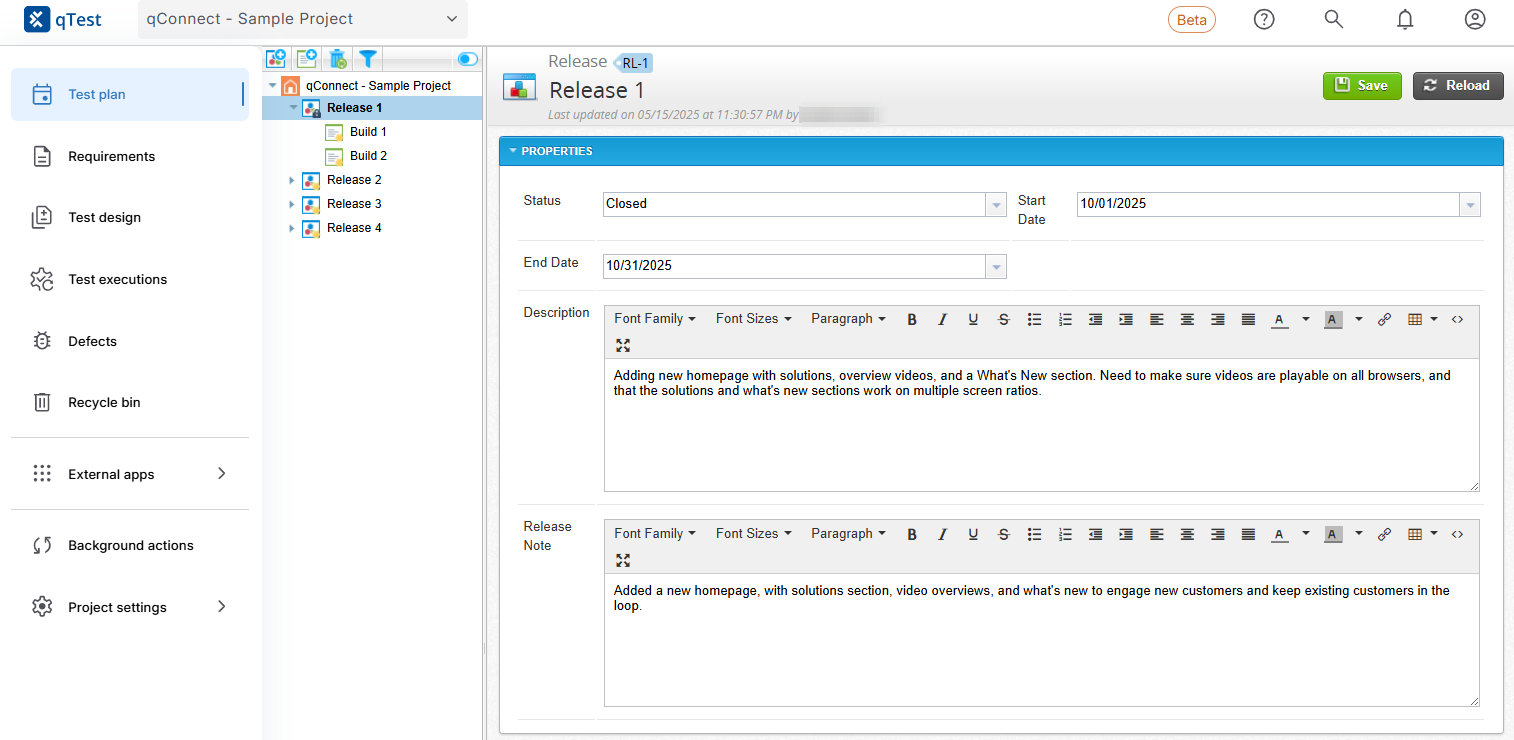
Try out our new and improved navigation and notification system.
If you're interested in our Beta, select your profile and choose Go to new qTest from the dropdown. This simple switch will give you access to the new navigation without any affect on your current projects or tests. Don't worry, if there's any reason you want to switch back, simply go to the same dropdown and select Return to classic qTest. You can switch between the two as often as you want.
Note that this feature is being rolled out gradually, so you may not have access yet. If you're interested in trying it out, reach out to your account manager.
Learn more about our new navigation.
Removed TestLink Conversion tool
We've removed the TestLink Conversion tool from the Utilities section in Download qTest Resources.
To learn more about the deprecation, please refer to our end of support announcement.
API updates
We've expanded the GET test-cases, PUT test-cases, and POST test-cases API calls with a new aiGeneratedSource field. This field identifies how an AI-generated test case was created: AI Copilot, AI Chat, or MCP. This gives you greater traceability and visibility into how your team is using AI tools to generate test cases.
Note that this field only applies to test cases generated after the API update. All test cases created before the update indicate if they are AI Generated, but do not specify the method of generation.
To learn more, you can view API documentation in Download qTest Resources.
AI Chat updates
We've updated the AI Chat window so it automatically displays if you're working on a requirement. This change only impacts users who have access to AI Chat. If you close the AI Chat, it will automatically remain closed on future requirements until you select the  AI Chat button to open it again.
Learn more about how to use AI Chat.
MCP updates
We've added some internal updates to the MCP, including security fixes, with this release.
Learn what MCP tools you have available and how to start prompting.
March 2026
Added option to reuse test cases with Agentic Test Creation
We've added the ability to choose to reuse test cases that are already attached to a requirement used for Agentic Test Creation. For example, if a requirement already has functional tests, the agent can analyze those tests and generate additional cases to cover gaps, such as edge cases or performance scenarios. This helps teams expand coverage without duplicating existing tests.
Learn more about how to use AI Chat.
Updated AI feature user experience
We've added a new AI Chat settings screen. Use it to see how your tenant uses AI: which projects are active, how many test cases you've generated, and how many test runs you've created from them. This helps you track AI adoption across your organization.
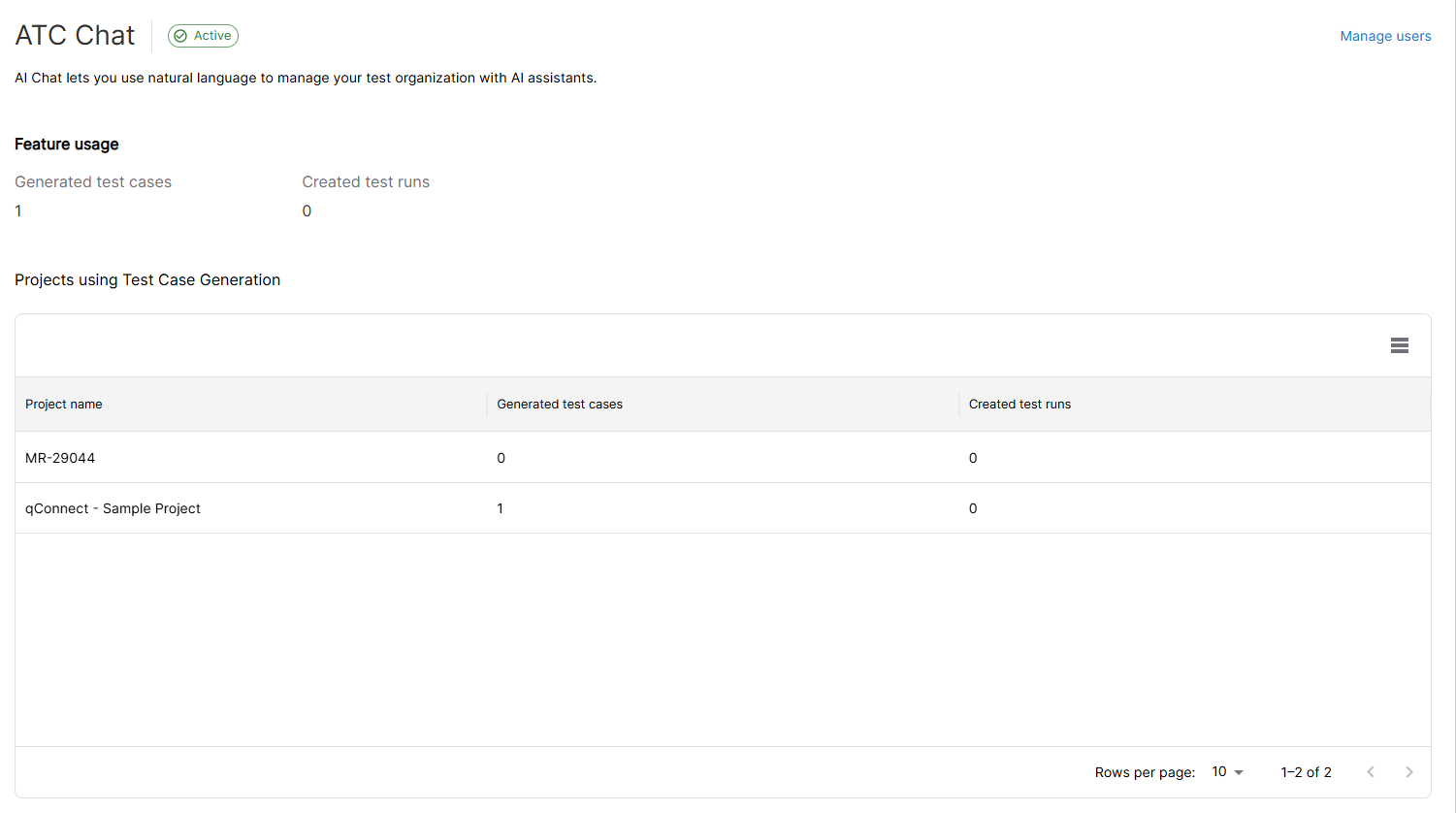
Get an overview of where you're using AI in your projects in AI Chat Settings.
If your leadership opts out of AI, qTest now hides all icons and settings associated with AI Chat and AI Copilot. Reach out to your qTest admin to learn more.
Learn more about how to start using AI Chat in your testing.
Approve defects and requirements with Vera
You can now include requirements and defects in your Computer Systems Validation (CSV) process through Vera.
With Vera, you can now work with your team to ensure the requirements you use to create test cases are properly managed, and that your defects include all the necessary content required to quickly squish bugs. You can also can keep track of what needs to be done, and exactly who needs to do it from inside qTest.
Learn how to integrate Vera approval with qTest.
Fully implemented qTest search
We've updated our search provider from ElasticSearch to PostgresSearch. As a SaaS user, this update was made behind the scenes for you, and your workflow is unaffected.
Learn more about how you can use our search tools to find the objects you need.
API updates
We've updated the GET test-cases API call with a new read-only aiGenerated field. This field displays True if the test steps of the test case you're working with in the API are generated with AI, or false if they're manually created by a user. The aiGenerated field is also available for the PUT test-cases and POST test-cases API calls, but you can't edit it.
This function gives you more traceability for AI-generated test cases, so you can get a high-level view of your project's AI adoption and associated test quality.
To learn more about test case API calls, you can view API documentation in Download qTest Resources.
Streamlined connections with Jira OAuth 2.0
We worked with Atlassian to ensure your connections to Jira with OAuth 2 are simple to set up, removing the need to create an extra webhook for Releases and Sprints in Jira Cloud.
Learn how to connect your qTest instance with Jira Cloud or Jira Data Center.
February 2026
Added AI Chat with Agentic Test Creation
We've added our new cross-platform AI Chat to qTest, with the new Agentic Test Creation feature, which you can use to generate detailed test cases from requirements.
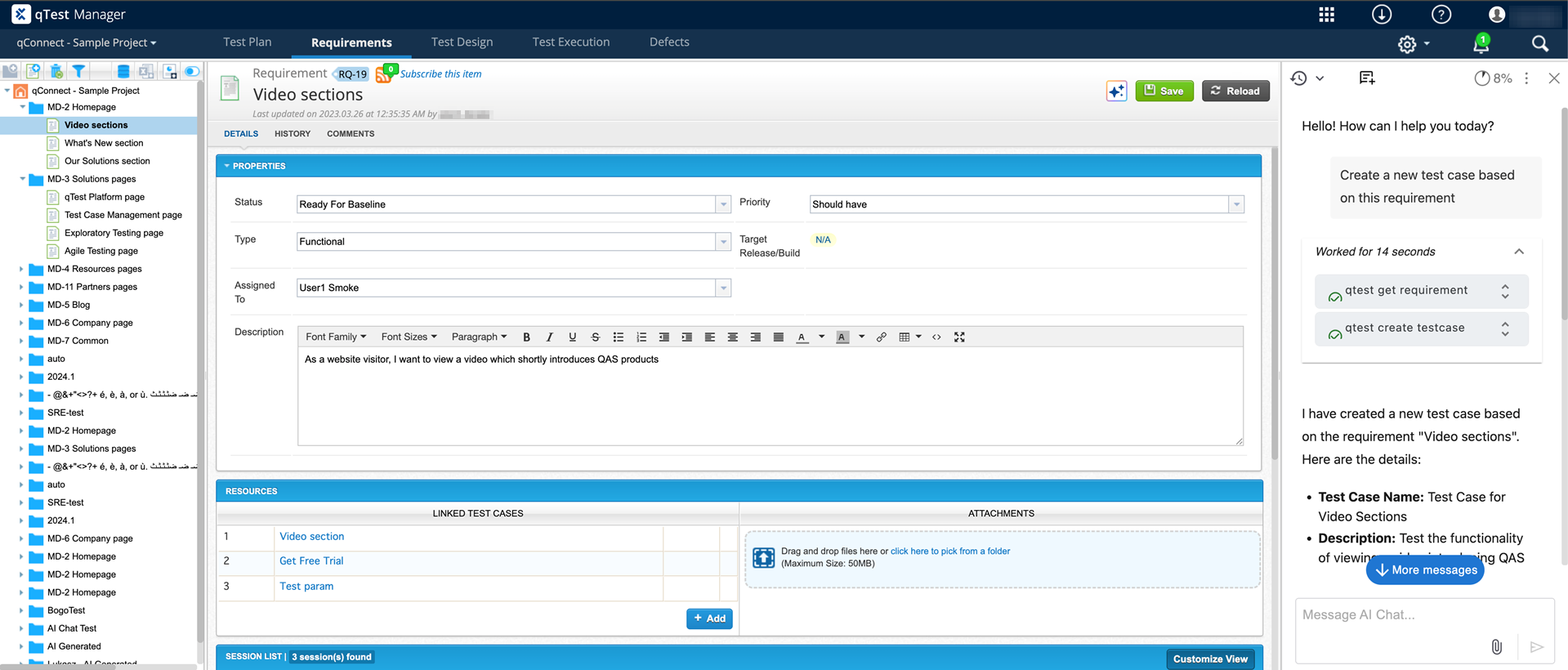
After your admin gives you access, you can view the AI chat from any requirement.
With AI Chat, you can work with your test organization in qTest using natural language prompts. In addition to this new tool, we're adding specific agentic tools that you can implement in your test tracking.
Agentic Test Creation is the first of our custom agents available. This agentic service can automatically create test cases from a comprehensive review of your requirements: from the descriptions, to linked test cases, to text attachments. That means the AI agent takes all the existing work on your requirement into account, so you can collaborate with the agent to create specific, applicable test cases.
Learn how you can get started with AI Chat.
Updated custom test step fields
To give you greater flexibility on what information you include and how you organize your test steps, we've increased the amount of custom fields you can add to 5. That means you can add more specific fields according to your testing needs.
For example, if you want to note how critical a test step's failure would potentially be, you can add a Severity if Fails field. Or, you can add an Input Data Source field that notes where the test data is coming from, whether it's mock data, a spreadsheet, or an API. If you use multiple data sets in your testing, you can add a Data Set field, so your testers know which test data applies to that action.
You can still add custom test step fields the same way you did before, but now you can add even more of them.
Updated the MCP
We've added some new tools to the MCP and updated descriptions on existing MCP tools.
Now, you can use the list-attachments to see what files you have attached to a requirement and get-attachment to download those attachment files.
Learn what MCP tools you have available and how to start prompting.
Improved user experience during account setup and maintenance
We've improved the experience for users setting or resetting their passwords with new communication and streamlined user paths.
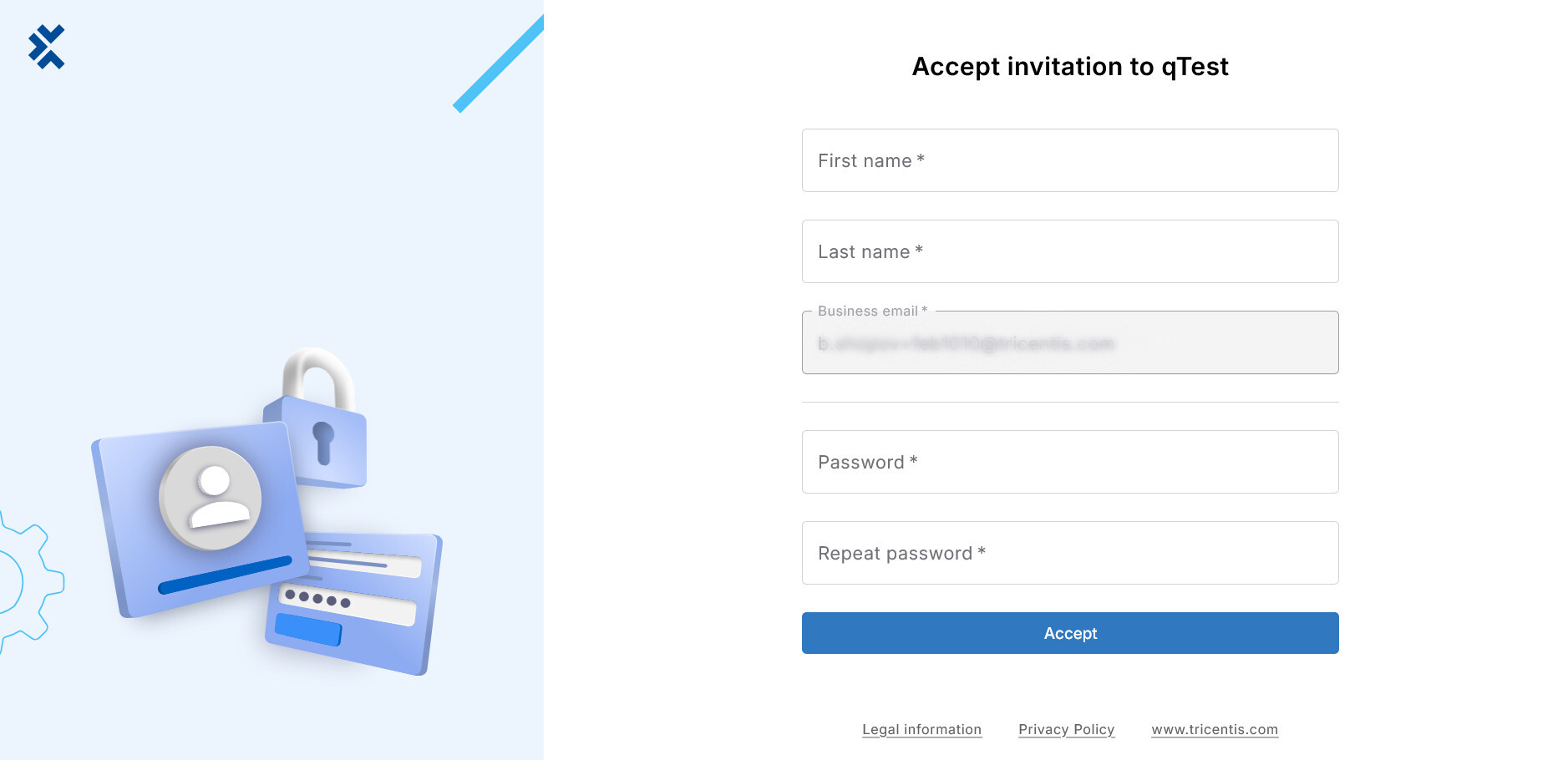
Our improved onboarding experience makes updating your account more straightforward.
For the Reset Password and Activate User screen, we removed outdated links and provided more information to the user regarding password rules. Note that these changes will be fully released to all users in March, so you may not see the new screens immediately.
Learn how to send activation links to users or how to manage user passwords.
Added support for shared Jira OAuth 2.0 apps for non-service accounts
We've added support for shared Jira OAuth 2.0 apps, so different Jira and qTest admins can set up integrations without a single shared admin account.
Learn how to connect your qTest instance with Jira Cloud or Jira Data Center.
January 2026
Added support for Jira OAuth 2.0
To align with Atlassian's security updates as they deprecate OAuth 1.0a, we've added support for OAuth 2.0 authentication with Jira.
While OAuth 1.0a is still available as an authentication method at the moment, we strongly recommend moving to OAuth 2.0 for the most secure experience, as Atlassian deprecated OAuth 1.0a. You can also continue to authenticate with API tokens for Cloud and Personal Access Tokens for Server or Data Center connections.
Learn how to connect your qTest instance with Jira Cloud or Jira Data Center.
Removed Firefox plugin
We've deprecated and removed download links for the Firefox qTest plugin from the qTest Integration Browser Plugins section in Download qTest Resources.
To learn more about the deprecation, please refer to our end of support announcement.
To download this plugin for Google Chrome or Microsoft Edge go to our downloads page.
December 2025
API updates
We've added a limit to the /api/v3/projects/{projectId}/search API call, so users can only query a maximum of 200 parameters per request. This is to ensure the API has the memory to process your requests.
To learn more about the qTest API, you can view API documentation in Download qTest Resources.
Security updates
We made background changes to improve the overall security of qTest Manager.
November 2025
Security updates
We made background changes to improve the overall security of qTest Manager.
October 2025
Updated test case display behavior in Jira
When the Tracking Test Case - Requirement Link Per Test Case Version setting is On, the qTest Test Execution iframe in Jira now displays all test case versions and their associated test runs. Unlinked test cases are only displayed in Jira if they have associated test executions that occurred before they were unlinked.
Learn more about how you can adjust Test Case Settings.
September 2025
MCP updates
As part of our updates the new qTest MCP, we've added improved search functions. Now, you can search your requirements, test cases, and test runs with the qTest MCP, even if you don't have the object ID.
Now, you can search for the following objects, even if you don't have an object ID:
-
Requirements
-
Test cases
-
Test runs
-
Releases
-
Test suites
-
Test cycles
-
Builds
-
Defects
Learn more about how to prompt the qTest MCP.
Updates to qTest Search
To improve your search experience in the qTest application, we're changing our search provider from ElasticSearch to PostgresSearch.
We're gradually rolling out this feature with a focus on performance to ensure that you can continue your work without any interruptions. As a SaaS user, you won't see any changes to your search functions throughout the switch.
Learn more about how you can use our search tools to find the objects you need.
Security updates
We made background changes to improve the overall security of qTest Manager.
Known issues
The Search function may not return existing test suites or test runs if you search for them by name. Don't worry, we're working on a fix.
August 2025
We've brought Manager 2025.5 with a few security updates and bugfixes. You can find a list of all the issues we've fixed on our new bug fixes topic.
MCP updates
We added support for searching submodules with the qTest MCP, in addition to top-level modules.
Learn more about how to prompt the qTest MCP.
API updates
We added the new one-time password field to the Add a new Jira connection API call in our documentation.
To learn more, you can view API documentation in Download qTest Resources.
Security updates
We made background changes to improve the overall security of qTest Manager.
Archived release notes
Looking for older release notes? You can find those in our release note archive.