シミュレーションを整理する
シミュレーションレジストリページには、Tosca Cloudにホストされているすべてのシミュレーションファイルが一覧表示されます。You can deploy these files to your シミュレータAgent to run simulations.
To open it, go to  APIシミュレーション > Simulation registry in the menu bar on the left.
このページには以下の情報が表示されます:
-
シミュレーションファイルの名前。
-
シミュレーションファイルが作成された日時。
-
シミュレーションファイルが最後に修正された日時。
-
シミュレーションファイルに含まれるコンポーネント。これらは、主要要素接続、サービス、実行可能なサービス、リソース、またはインクルードなどです。
-
シミュレーションに追加したタグ。例えば、タグを使用してシミュレーションを並べ替えたりフィルタリングしたりできます。
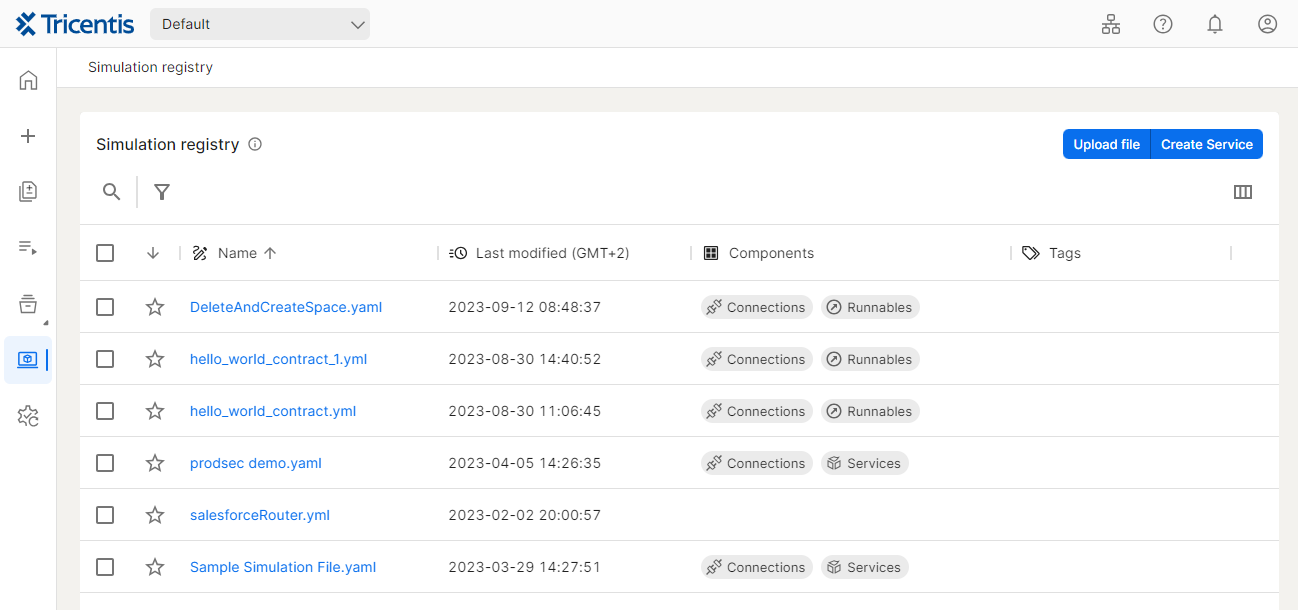
シミュレーションレジストリページ
You can  search for simulation files or click the column header to sort columns in
  ascending or
  descending order.
If you want to create custom filters for your simulation files select  .
.
すでに作成されている場合、ローカルマシンからシミュレーションレジストリにシミュレーションファイルをアップロードすることができます。そのためには、以下の手順に従ってください。
-
シミュレーションレジストリページの右上隅で、「ファイルをアップロード」をクリックします。
-
アップロードしたいシミュレーションファイルを選択します。
-
開くをクリックします。
シミュレーションレジストリで新しいシミュレーションファイルを直接作成することができます。
そのためには、以下の手順に従ってください。
-
シミュレーションレジストリページの右上隅で、「サービスを作成」をクリックします。
-
読み取り専用モードを終了するには、「編集」を選択します。
-
シミュレーションファイルの欄にシミュレーションの名前を入力します。
-
オプションで、タグフィールドに一つ以上のタグを入力します。各入力をEnterキーで確認します。例えば、タグを使用してシミュレーションを並べ替えたり、フィルタリングしたりすることができます。
-
シミュレーションの内容を定義します。エディタには、自動補完や値の提案、さらにエラーアラートが含まれます。
-
「保存」をクリックします。
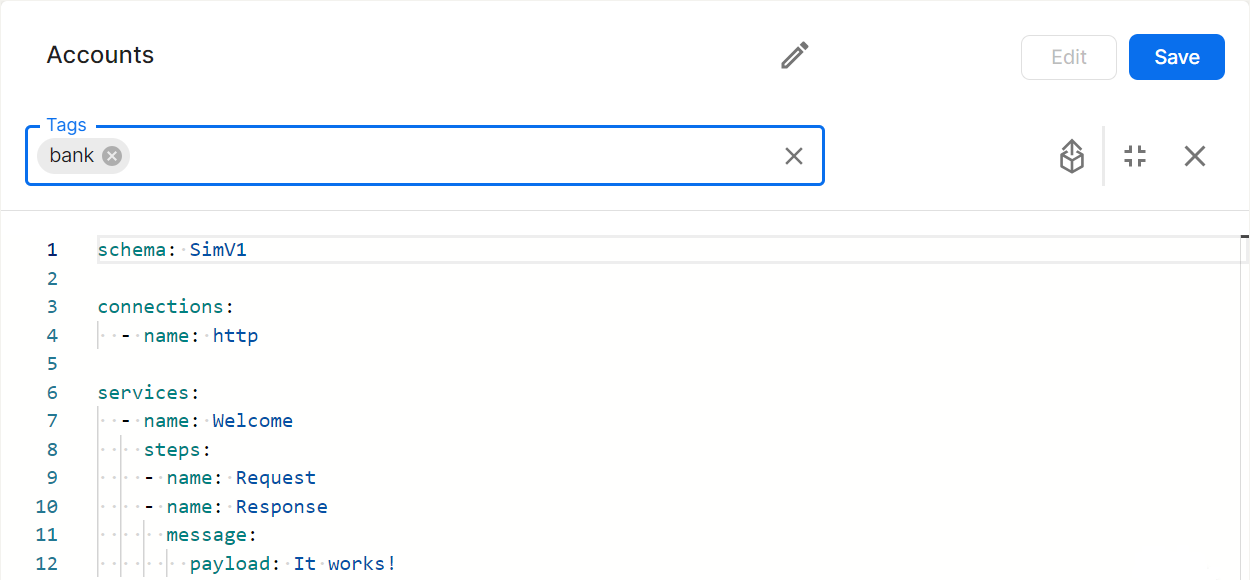
シミュレーションファイルを作成します。
After you have uploaded or created simulation files, you can deploy these files to a シミュレータAgent that is connected to Tosca Cloud and run them there.
そのためには、以下の手順に従ってください。
-
チェックボックスを使用して、デプロイしたいシミュレーションファイルを選択します。
-
コンテキストメニューから右クリックして、デプロイを選択します。
-
それぞれのリストからワークスペースとAgentを選択します。
-
デプロイをクリックします。This starts the simulation on the シミュレータAgent.
シミュレーションを拡張または修正したい場合は、以下の手順に従ってください。
-
編集したいシミュレーションファイルをクリックします。
-
編集を選択して読み取り専用モードを終了します。
-
変更を行い、保存をクリックします。
例えば、Tosca Cloudからシミュレーションファイルをダウンロードしてアーカイブすることができます。そのためには、以下の手順に従ってください。
-
シミュレーションレジストリページで、チェックボックスを使用してダウンロードしたいシミュレーションファイルを選択します。
-
右クリックして、ダウンロードを選択します。これにより、自動的にzipファイルが作成され、ダウンロードのファイルエクスプローラーに保存されます。
シミュレーションの概要ページからシミュレーションファイルを削除するには、右クリックしてコンテキストメニューから削除を選択します。
複数のシミュレーションファイルを削除したい場合は、ファイルの横にあるチェックボックスを使ってシミュレーションファイルを選択してください。その後、メニューバーの上部にある削除アイコンをクリックしてください。
次の記事
Check the シミュレータAgent page to see what simulations are running.