Optimize your testing with AI in qTest
In software development, speed and efficiency are everything. Every minute you save on mundane-but-necessary tasks, such as documenting your tests, gives you more time to find and fix pesky bugs before they become roadblocks for paying customers.
qTest has a simple solution for you: AI-assisted test management. With a little computer-powered help, you can do time-consuming, monotonous tasks with just a few clicks. Whether you're dealing with complex UI changes or detailed security updates, our AI features ensure that you can spend your time where it matters most: on the actual testing.
Use AI Chat
Our AI Chat feature lets you work with qTest using natural language with AI assistants, without any server setup or maintenance.
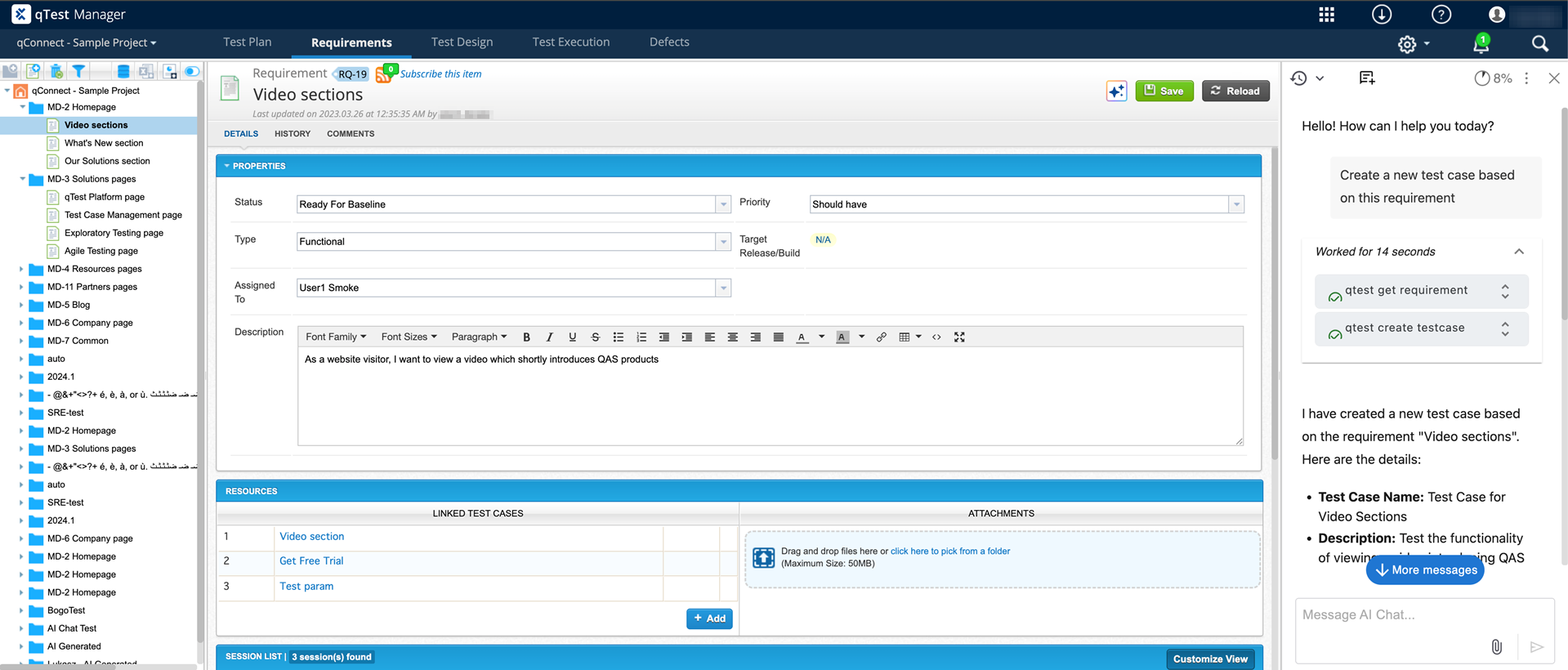
The AI Chat offers tools for your test management solutions.
This function offers a list of agents that we're continuously adding. This includes test case generation with fewer limits.
qTest administrators can initiate a trial for this feature from the AI Chat window. When you enable a trial for qTest, it also enables AI Chat features in other connected Tricentis products.
Learn how to use AI Chat.
Interact with the API
Communicate with our API using our Model Context Protocol (MCP) server. Instead of navigating complex UIs or writing scripts, you can manage your testing with simple conversational prompts.
Want to review your test cases to fill gaps in your testing process? Or maybe you need help creating defects from your test runs? Once you set up the MCP to work with an AI assistant of your choice, you can work directly with the API to perform complicated tasks. There's no need to spend time and energy coding. You only need to know how to write clear, direct prompts to take advantage of this feature.
Learn how to set up the qTest MCP integration.
Generate a test case with qTest Copilot
Once you've created a requirement, your next step is to create a set of tests that ensure your software meets that requirement. Between brainstorming, writing, and reviewing, this is a pretty time-consuming process. With AI at your disposal, you can create entire sets of test cases without breaking a sweat. (At least, as long as your office has air conditioning.)
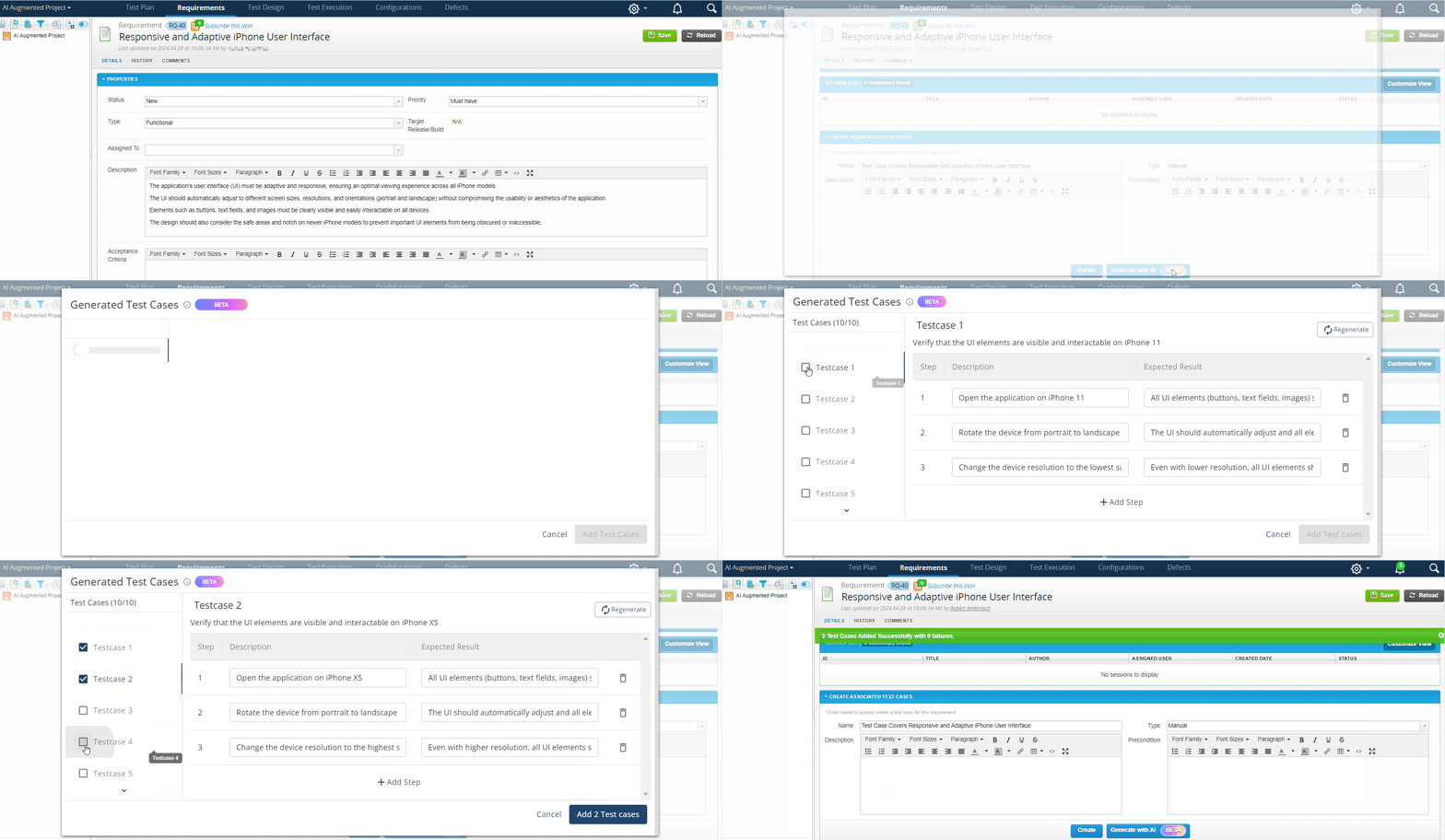
Generate test cases with AI
Once you have your requirement, all you need to do is go to the Create Associated Test Cases section and select Generate with AI. qTest Copilot uses the criteria you defined in your requirement to generate test cases that align with your testing needs, which you can reject or approve as you see fit.
Learn more about how to generate test cases from requirements.
We recommend you review our AI data usage policy to learn how your data is stored and processed, as well as the usage limits that apply to AI-related requests.
What's next?
If you're ready to streamline your testing process, have an administrator add you to the AI User group.