Table testing
This functionality is only available in the old version of Tosca Cloud.
To avoid costly, post-release surprises, you'll want to make sure that the tables in your application have the expected content. For example, the right prices, customer information, or percentages.
This section is all about tables: what they look like in Tosca Cloud and what to do with them.
Table elements
It doesn't matter whether your table has 5 or 5,000 rows and columns. When you scan your application, Tosca Cloud only adds a technical representation of the table, not the entire table and its contents.
In your test case, this representation looks like this:
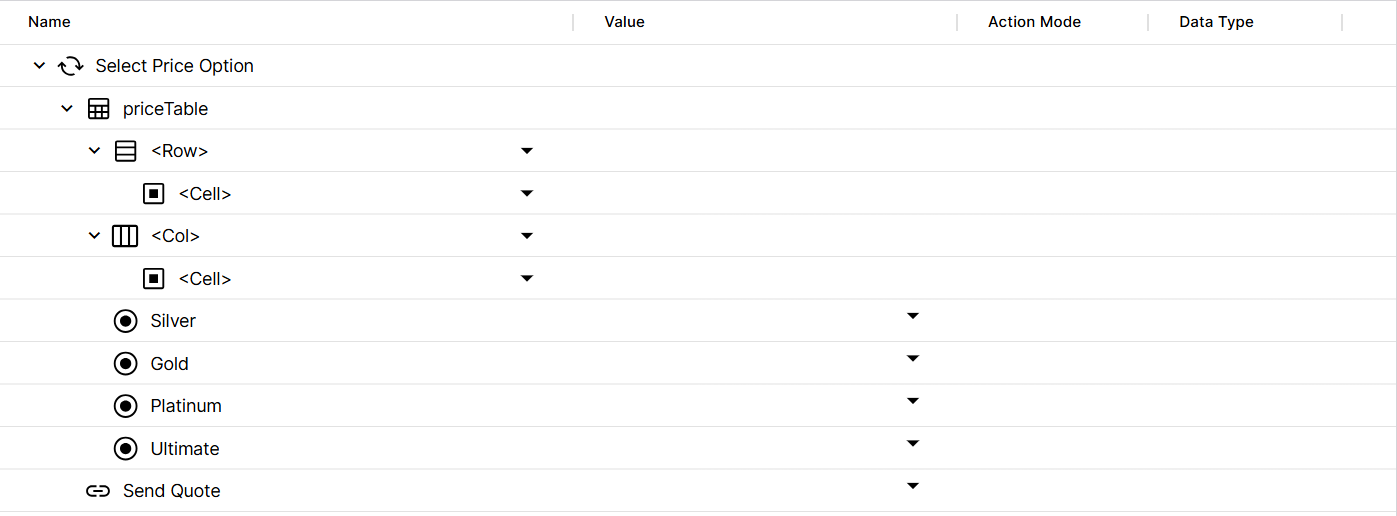
Table element My table element in a test case
It consists of the following elements:
-
The parent table element. The name depends on the label in your application's code; you can rename it during the scan or afterward.
-
The test step values Column and Row, which you use to identify the cell whose content you want to verify.
What's next
To ensure that your table has the expected content, identify the cell you want to test and perform your cell verifications.