Identify table cells
This functionality is only available in the old version of Tosca Cloud.
When you test your table for its release readiness, you're actually testing individual cells within that table. To do this, you first need to tell Tosca Cloud the location of a cell. For example, the cell in the third row of the column FirstName.
This topic explains how to identify the cells you want to test in a test case.
Specify a cell
Identifying cells is easy. Just enter identifiers into the Column and Row test step values of the table element in your test case.
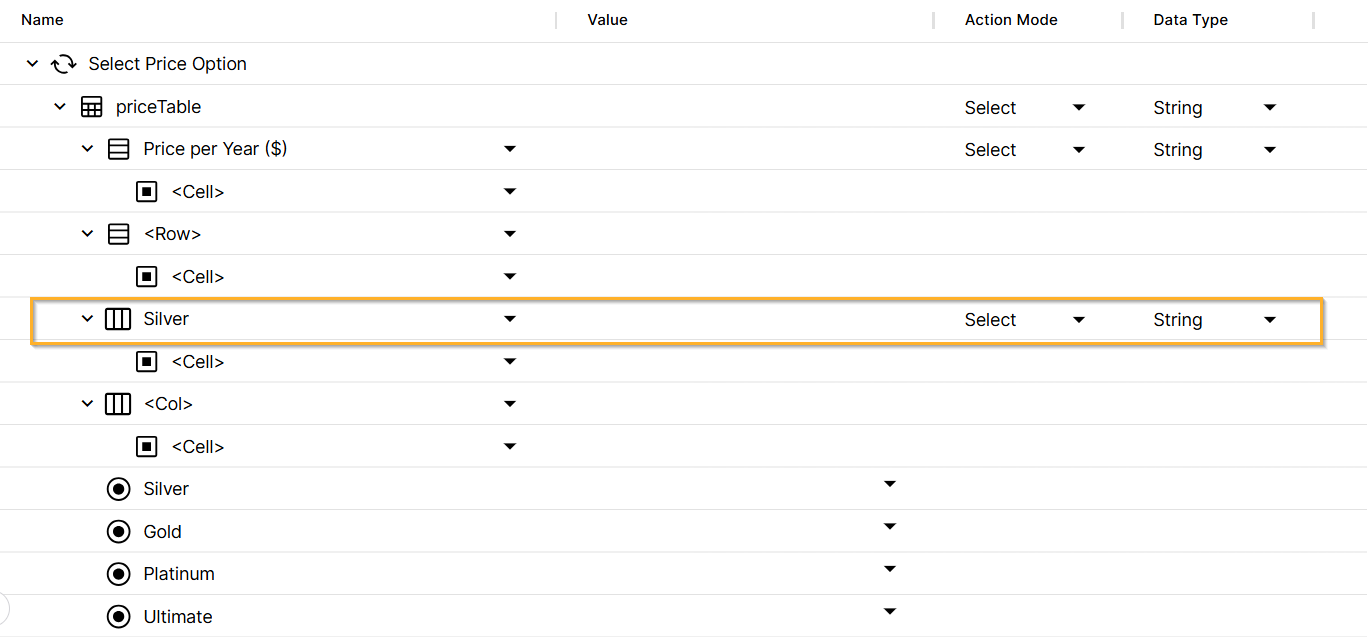
Identifiers in a table element
Column identifiers
To specify a column, enter one of these identifiers:
|
Column identifier |
Description |
|---|---|
|
<column name> |
Any column with this name (case-sensitive). You can also use * wildcards. |
|
<column number> |
Relative column position, in relation to the header. For example, 1 is the first column after the header column, if you have one. |
|
#<column number> |
Absolute column position. For example, #1 is the first column of the table, no matter if it's a header or not. |
|
$last |
Last column of the table. |
Row identifiers
To specify a row, enter one of these identifiers:
|
Row identifier |
Description |
|---|---|
|
$header |
Header row. |
|
$firstEmptyRow |
First row of the table without a value. |
|
<row number> |
Relative row position, in relation to the header. For example, 1 is the first row after the header row, if you have one. |
|
#<row number> |
Absolute row position. For example, #1 is the first row of the table, no matter if it's a header or not. |
|
$last |
Last row of the table. |
|
$lastContentRow |
Last row of the table with a value. |
Examples
The examples in this section show you how to identify cells in this table:
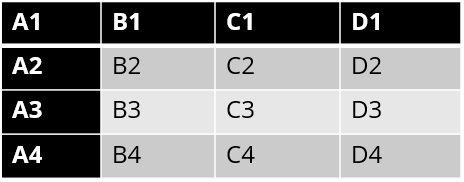
Example table
The first row is the row header, and the first column is the column header.
With this table element, Tosca Cloud identifies B3:
-
It's in the column whose name starts with B*.
-
It's in row 2 after the header.
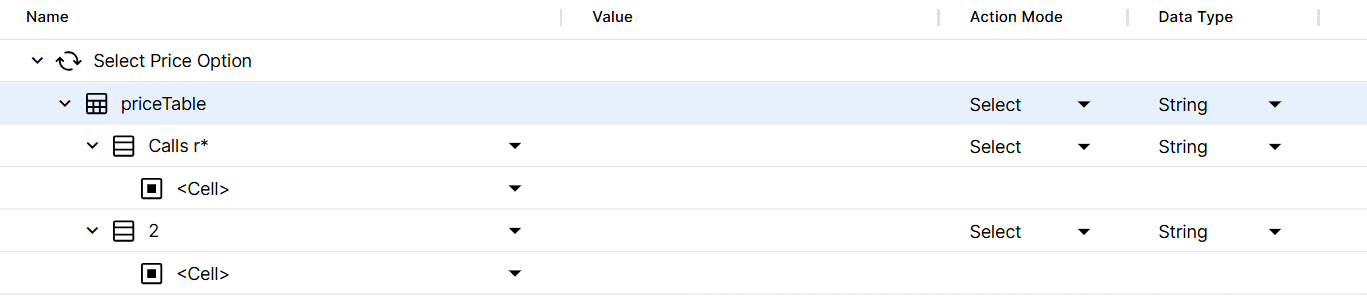
Cell identification by column name and relative position of a row
Remember: <row number> specifies the relative position of the row.
If you enter #2 as your row identifier, Tosca Cloud uses the absolute position of the row and identifies cell B2.
With this table element, Tosca Cloud identifies cell D1:
-
It's in column 3 after the header.
-
It's in the header row.
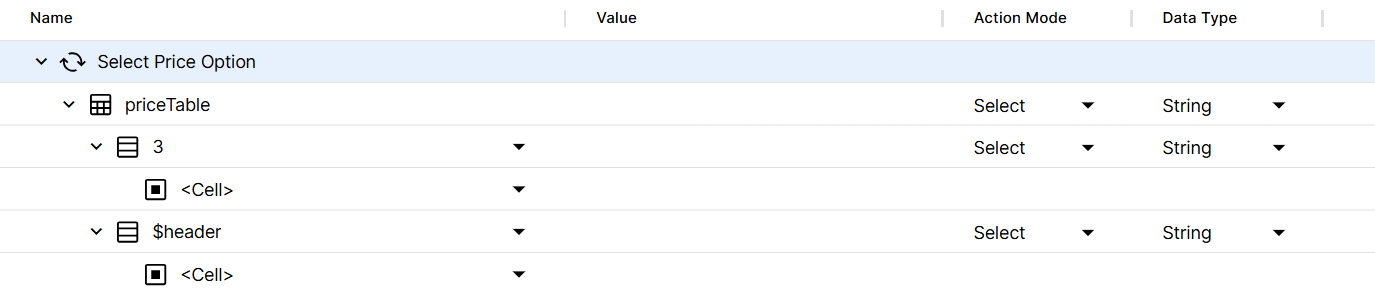
Cell identification by relative position of the column and header row
Like <row number>, the identifier <column number> specifies the relative position.
If you enter #3 as your column identifier, Tosca Cloud uses the absolute position of the column and identifies cell C1.
With this table element, Tosca Cloud identifies cell D4, since it's in the last column and row of the table.
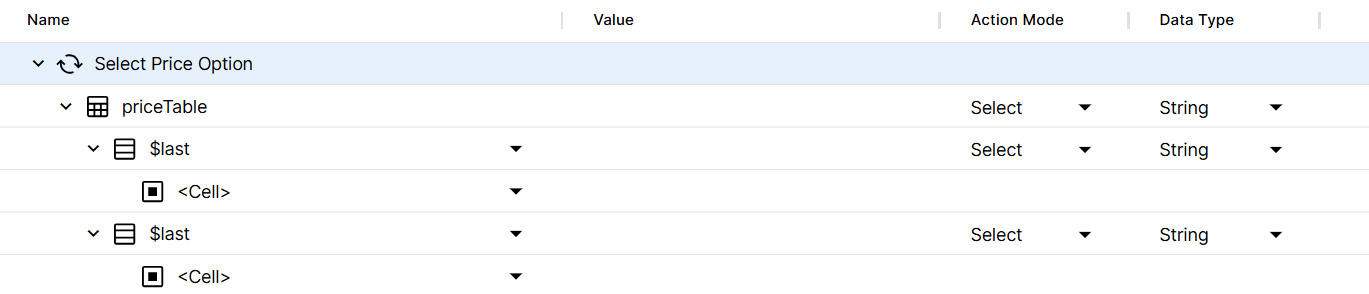
Cell identification by last column and row
What's next
You've identified your cell. Good! Now, let's verify cell contents and properties, to make sure your table has the expected content.