After you create a new workspace, you can begin to adjust the settings in Tricentis Tosca so that it works the way you need it to. If you've ever taken a really close look at Tosca, you know that it has several directories that contain several settings files.
For information on overriding settings for a TestCase, TestCase folder, ExecutionList, or ExecutionList folder, check out Override global settings.
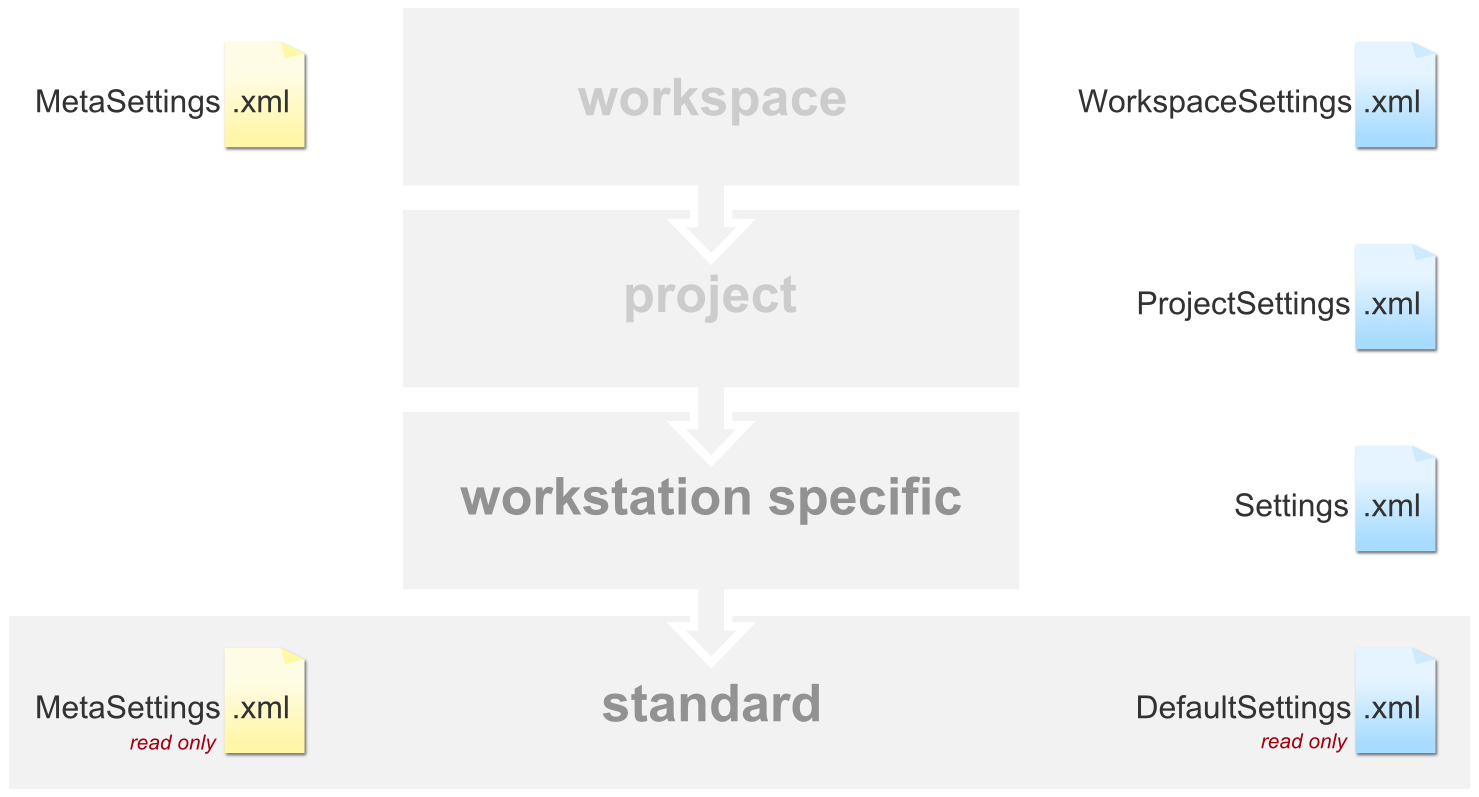
Hierarchy of settings files in a multi-user environment
The system goes through the settings files in order of hierarchy, from top to bottom. It first searches the settings in the workspace to see whether a setting is defined there, and then moves on to search the project settings. It concludes by querying the user-specific and default settings.
In a pure multi-user project, the user-specific settings file exists but is empty. The settings are taken from the workspace and project settings.
In a pure single-user project, however, only the two lower levels and files exist. Changes are always saved to the Settings.xml file.
The MetaSettings.xmlfile defines the hierarchy described here and allows the order and the files to be changed and adapted on the workspace level.
You can see and compare which settings are used when in this animation:
Using an installation of Tosca in a mixed project (both single-user and multi-user) can cause discrepancies in the settings files being used.The Settings.xmlcan be excluded from process on the workspace level in the MetaSettings.xml file.
For further information, please see the following chapters: