Scenario APIs
If you are building an application or developing an integration that interacts with qTest Scenario. the Scenario API is the primary way to interact with qTest Scenario remotely. This article documents the API available in qTest Scenario along with sample requests and response codes.
Getting Started
-
Navigate to qtest.dev.tricentis.com for the API interactive documentation.
-
In the top toolbar, select qTest Scenario in the Choose a product field
-
qTest Scenario v2.0 will be the default selection in the Choose a version field and then click Explore.
-
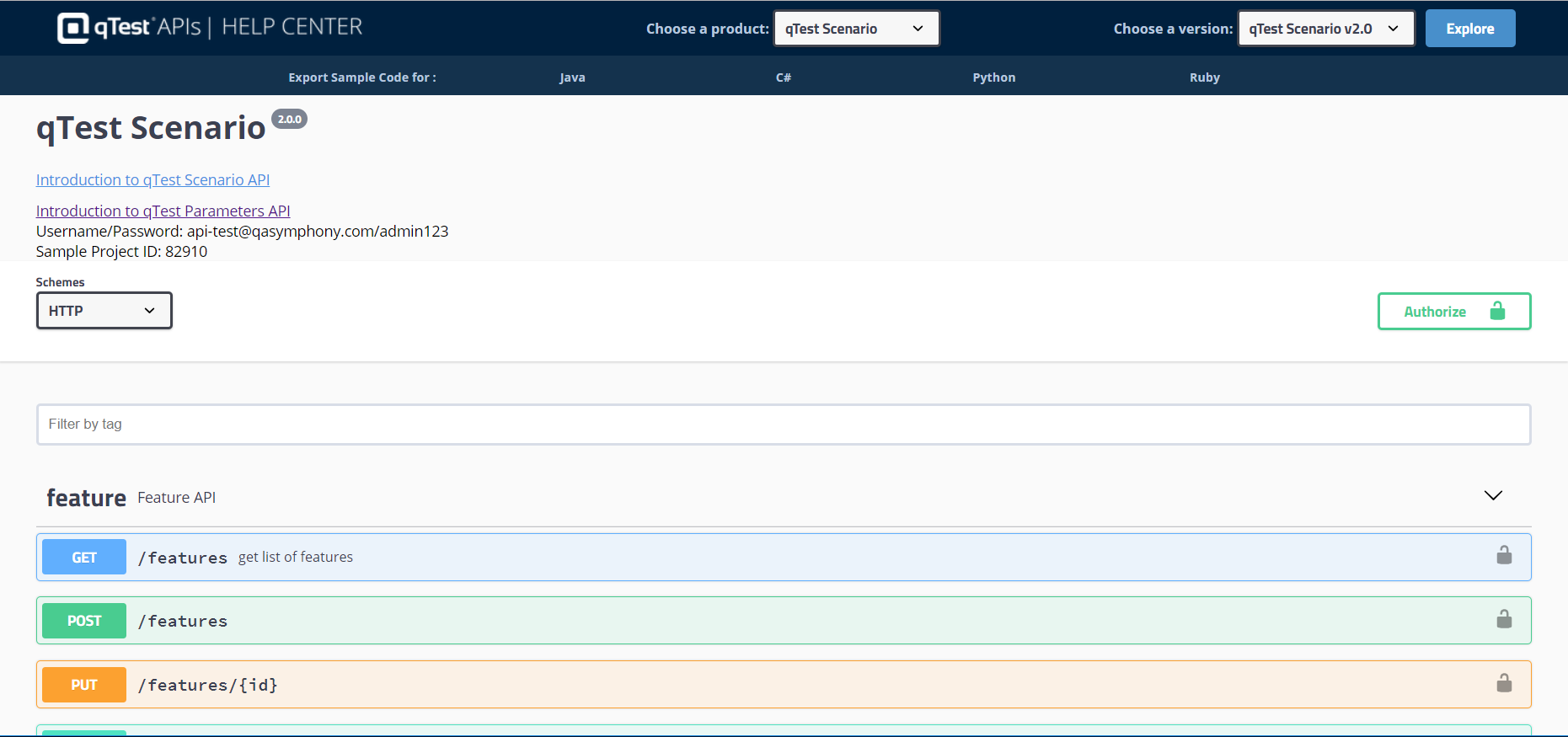
The qTest Scenario API page will load.
Authentication
To consume the Scenario APIs, you need to log in to qTest Manager using your qTest Manager credentials. Upon successfully logging in, you will receive an access token in the Download Resources page that is used to authorize your access in subsequent API requests.
-
Select the Authorize button and the Available Authorizations dialog opens.
-
In the API key authorization value fields, enter the following:
-
Authorization value enter the qTest API Bearer Token found in the Download Resources page. Select Authorize.
-
x-scenario-project-id value enter the Scenario Project ID. Select Authorize. Refer to Enable Enterprise Features for more information on how to find the Scenario Project ID.
-
-
Once the authorization is successful, the dialog will show "Authorized." Click on the "X" to close out the window so that you can now begin using the interactive APIs.