Lease SAP Virtual Users
Lease SAP Virtual Users when you need to load test SAP applications. SAP Virtual Users (SAP VUs) can record and replay SAP traffic, and they can also run Web tests when you need them.
Your total Web Virtual Users for a test is the sum of Web VUs and SAP VUs in your lease. For example, a license with 500 SAP VUs lets you run a test with 500 SAP VUs, 500 Web VUs, or any combination that totals 500. A license with 500 SAP VUs and 1,000 Web VUs lets you run up to 1,500 Web VUs, 500 SAP VUs, or any combination of the two.
You can also lease SAP Virtual Users in offline mode. For more information, see Manage licenses offline.
You manage SAP leases from Help > License management > License, under the Use a Server option.
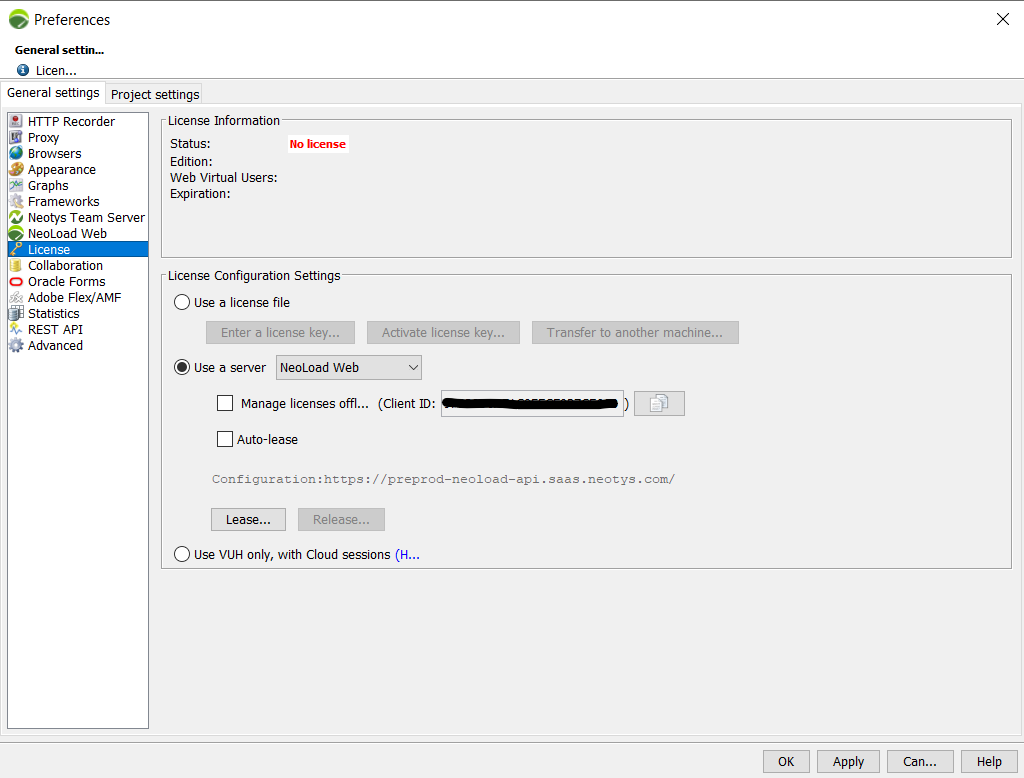
Granted License List
Select Lease to open the Granted License List screen.
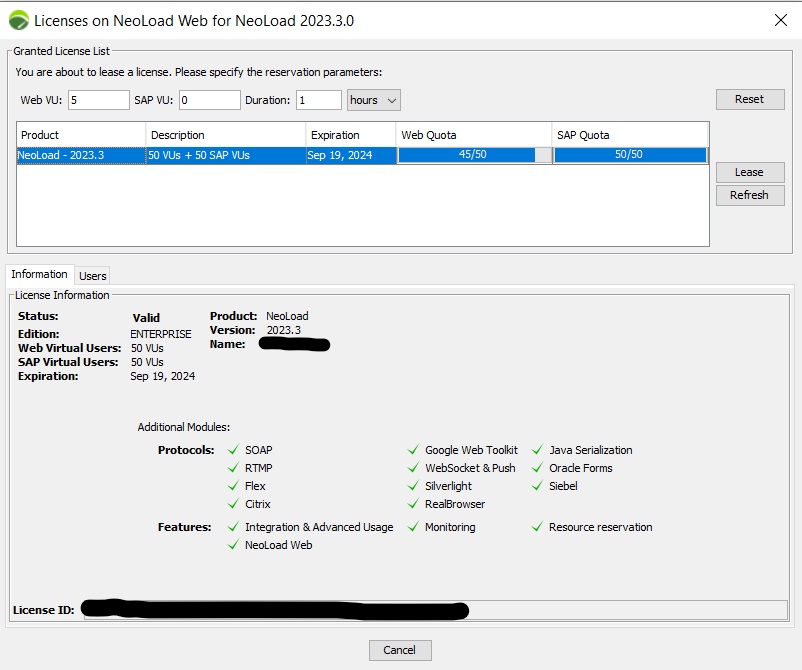
In the Granted License List, set the capacity you want to lease:
-
Web VU: The Web Virtual Users capacity. The minimum is 50 users.
-
SAP VU: The SAP Virtual Users capacity.
-
Duration: The duration of the lease in hours or days. The minimum is 1 hour.
Each license shows the following details:
-
Product: The name of the licensed product.
-
Description: The number of Virtual Users in the license.
-
Expiration: The date when the license expires.
-
Status: If the status isn't "Valid," contact your license server administrator.
-
Web Quota: The Web Virtual Users capacity still available, shown in blue.
-
SAP Quota: The SAP Virtual Users capacity still available, shown in blue.
When you select a license, two tabs update with details:
-
Information: The contents of the license and the expiration date.
-
Users: NeoLoad users who already reserved license capacity. Use this tab to spot capacity that's frozen by unused reservations.
Lease SAP Virtual Users capacity
To lease SAP Virtual Users capacity, follow these steps:
-
Select Help > License Management.
-
In License Configuration Settings, select Use a server.
-
Select NeoLoad Web.
-
Select Lease....
-
In the Licenses screen, enter:
-
The number of SAP VUs you need.
-
The duration of the lease in Lease Duration (hours or days).
-
-
In the Granted License List, select a license that has the SAP VUs and time you specified, then select Lease.
-
Select OK.
The License Information section and the More details link show the full lease details.