Requirement Execution Progress
The Requirement execution progress report allows you to track the execution status of your requirements, by providing an overview of the execution of requirements . You can use this report to identify and evaluate incomplete, faulty, or isolated requirements.
To access the report, go to Reports > Requirement execution progressyou.
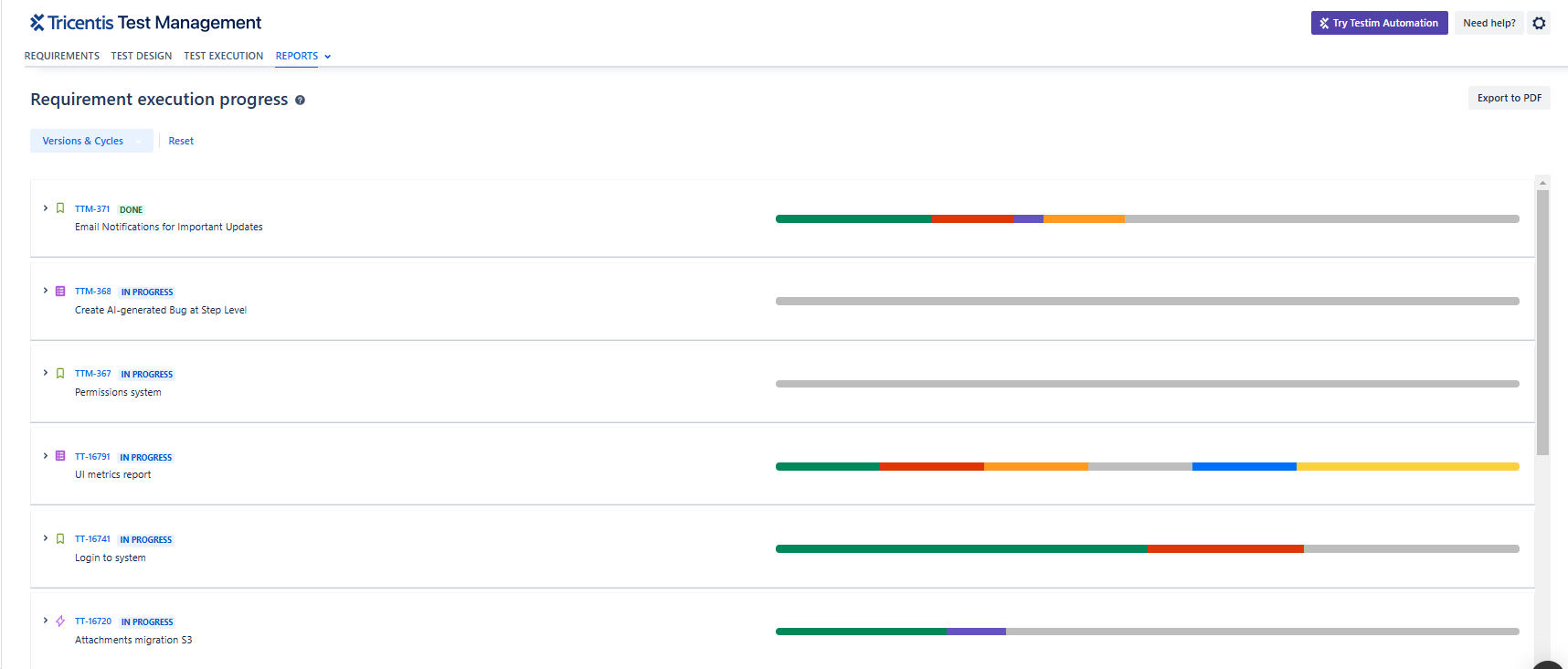
Requirement execution report
Define which data you want to see
Tricentis Test Management for Jira only populates this dashboard if you specify which data you want to see.
To specify the data that you want to see, follow these steps:
-
Select one or more Versions & Cycles
-
Click Done, and then click Apply
Requirement execution progress details
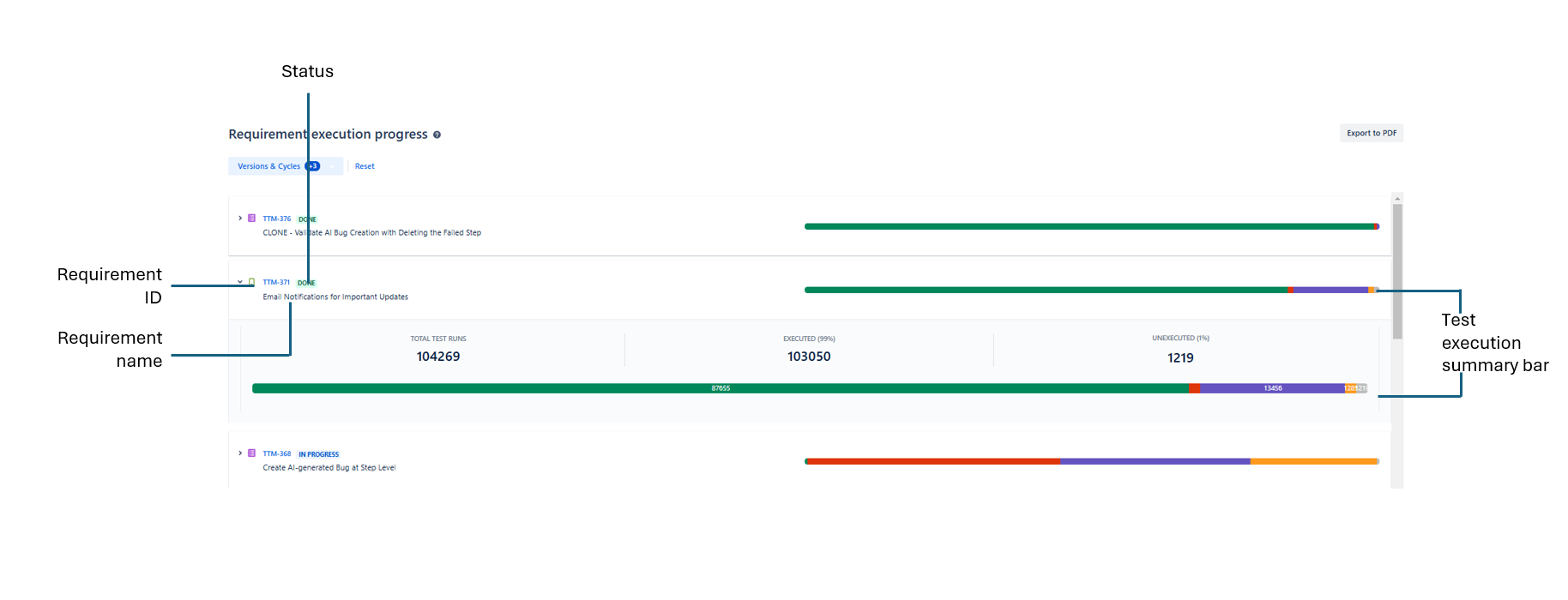
Requirement execution progress details
This section displays a list of the selected requirements and their statuses. Each row includes the following information:
-
Requirement ID
-
Requirement name
-
Test execution summary bar. The colors represent the statuses of the tests runs (how many tests passed, failed, etc.). Hover over the bar to see the number of test runs for each status.
Expand to view the following additional details:
-
Total test runs: - the total number of test runs, including test runs that were executed and unexecuted.
-
Executed: - the number of test runs that were executed and their percentage from the total.
-
Unexecuted: - the number of test runs that were not executed and their percentage from the total.
Share your report
Data isn't as useful if you're the only one that sees it. You can easily share whatever view you create:
-
To share data with people who have access to your Jira project, give them the URL of your Requirement execution progress report.
-
To share data with people who don't have access to your Jira project—or people who just prefer PDFs—select Export to PDF.
What's next
If you're curious about other dashboards to monitor your data, check out "Analyze tests".