About Tricentis Test Management for Jira
Tricentis Test Management for Jira is a collaboration-driven test management tool. It lets you create, execute and analyze test activities all in one place: your Jira projects. This allows you to manage testing alongside your software development lifecycle. This page walks you through the core parts of that workflow - defining requirements, designing test cases, executing test runs, creating defects and analyzing results.
Design your tests
Designing tests plays an important role in the development cycle. Only well-designed tests let you verify whether your application is ready for release or whether you still need some adjustments. By providing a set of easy-to-use tools, Tricentis Test Management for Jira makes it simpler for developers and testers to design their tests.
So the first step in your testing journey with Tricentis Test Management for Jira is to create test cases and requirements that mirror your testing activities.
In Tricentis Test Management for Jira, you design your tests with two specific issue types in Jira:
-
Test cases - series of test actions, used to verify that a specific workflow or feature in your application functions as expected, and ensures a good user experience after release.
-
Requirements - criteria that define what your application must fulfill to meet stakeholder needs and guide effective testing.
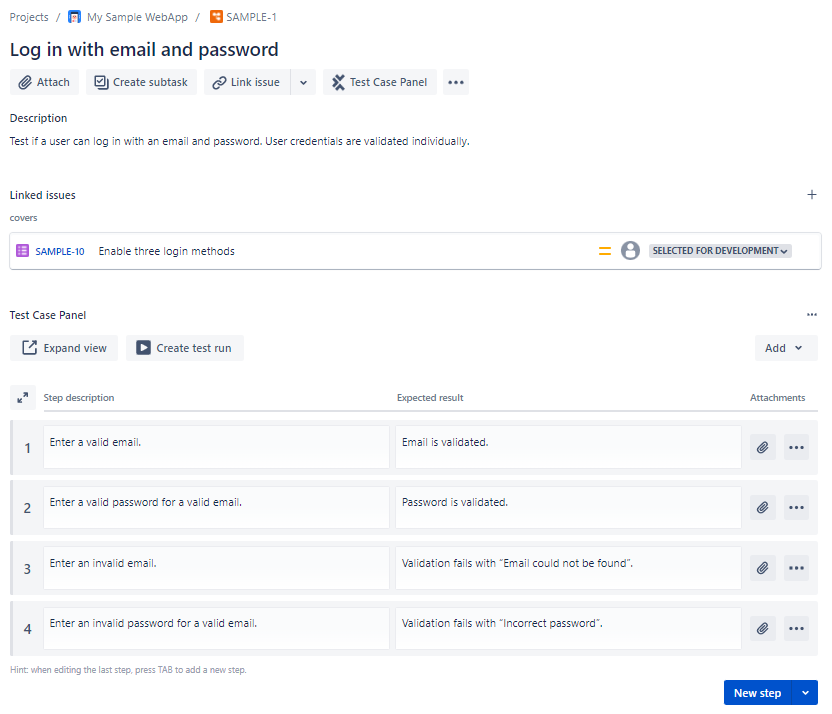
Test case with a linked requirement and multiple test steps
For more information on how to design your tests, see chapter "Design tests".
Execute your tests
Once you have your test cases, you can prepare and trigger their execution. This tells you whether your application behaves as expected and is ready for release.
The second step in your testing journey is to assemble test cycles and execute your test runs. For each test case, you create an associated test run to document the test results. During the documentation process with Tricentis Test Management for Jira, you can attach relevant resources such as screen captures, comments, or files.
Working with a test run is a vital part of the product development cycle. It is important for testers to add as many details and resources as possible so that stakeholders, developers and QA teams can easily assess and track the testing progress.

Test results during the execution of a test run
If you encounter a problem during execution, create defects (bugs) to make the rest of the team aware of the issue you discovered. This helps you track any unwanted behavior. All test runs contain specialized tabs where you can keep track of defects, attachments, and associated comments.
For more information on how to execute your first tests, see chapter "Execute tests".
Analyze test results
It's important that you understand the overall progress of your development cycle and can distribute feedback. So the third step in your testing journey is to assess your test results and provide the necessary feedback. Tricentis Test Management for Jira allows you to interpret and analyze your test results in many different ways.
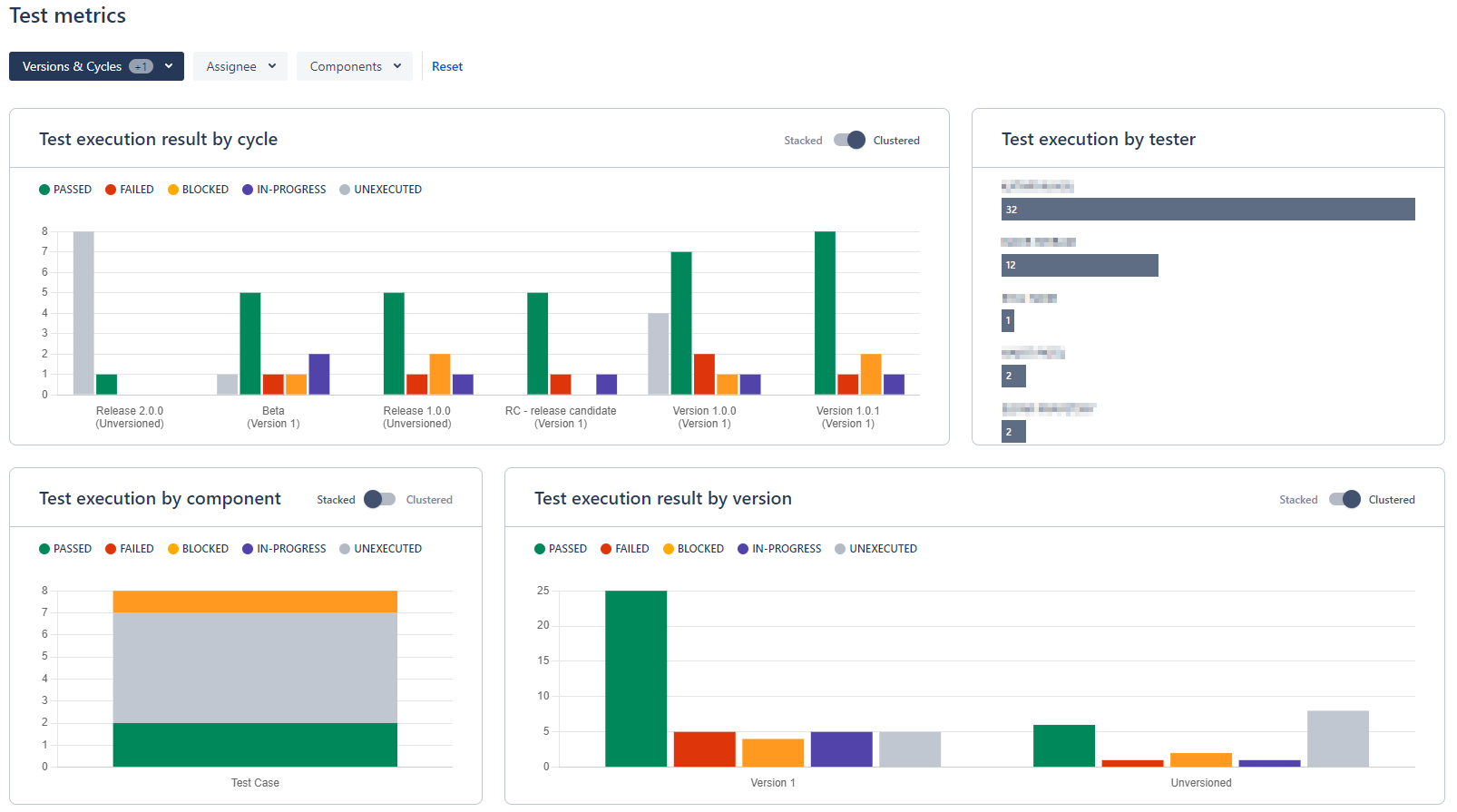
Reports tab in Tricentis Test Management for Jira
For more information on how to understand your test results, see chapter "Analyze tests".
Simplify testing with AI
Tricentis Test Management for Jira includes built-in AI tools that speed up test creation and reporting. Our AI can generate test cases from requirements, write detailed test steps, and fill out defect reports during execution. These features cut down on manual work and help teams move through testing more efficiently.
The Model Context Protocol integration Tricentis Test Management for Jira lets you manage testing with AI, without having to learn complex UIs or write scripts. You can create and organize test cases, link requirements, and analyze results faster through natural language conversations with AI assistants. Focus on quality, not tooling!
Screen recording
To improve the user experience and keep everything running smoothly, we use Datadog to screen record your activity inside Tricentis Test Management for Jira. We delete these recordings after 30 days.
What's next
Great, you're now familiar with the core tasks in Tricentis Test Management for Jira. We recommend you check out our frequently asked questions (FAQs).