
Tosca Commander user management allows you to manage users within one Tosca repository. This topic explains how to access the user management interface and lists all tasks for managing users and permissions.
For information on how to manage users with
Before you start
Ensure you have administrator rights, which you need to perform any user management task.
Access user management
To access the user management interface, follow these steps:
-
In the ribbon menu Home, select Project to open the project window.
-
Select the Usermanagement tab.
The tab displays all users and user groups in the project. The groups Admins and All Users are default groups that you can't rename or delete.
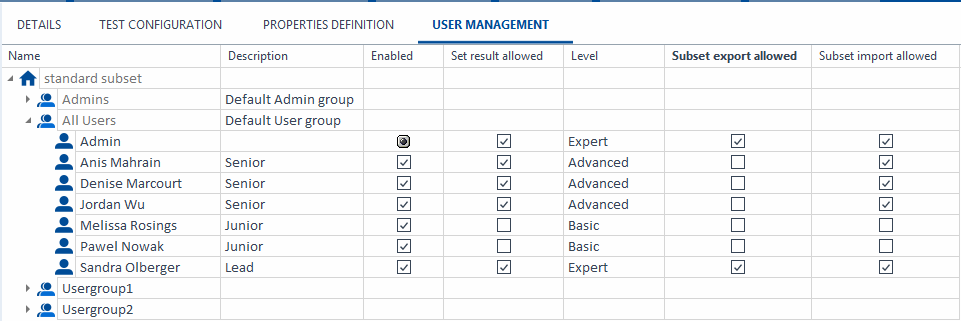
Manage users and permissions
As a member of the Admins user group, you can perform various tasks in the user management interface:
-
Create and remove users and user groups.
-
Set and change passwords for users.
-
Assign rights to users and user groups.
-
Enter a description of the user into the Description column.
-
Enable or disable users via the Enabled column.
-
Define whether a user is allowed to set test results in the Set result allowed column.
-
Define whether a user is allowed to import or export subsets in the columns Import subset allowed and Export subset allowed.
Make sure to check out the project root element before you perform these tasks and to check in after you're done.