Transfer execution results to Excel
The Detail column in Tosca Commander contains the results of your ExecutionList as numerical values. You can transfer these values to Microsoft Excel, which allows you to further process and analyze this data with third-party software.
To transfer execution results from the Detail column to an Excel sheet, follow the steps below:
-
Highlight all Execution objects whose results you want to transfer.
-
Right-click the highlighted objects and select Copy table to clipboard from the context menu.
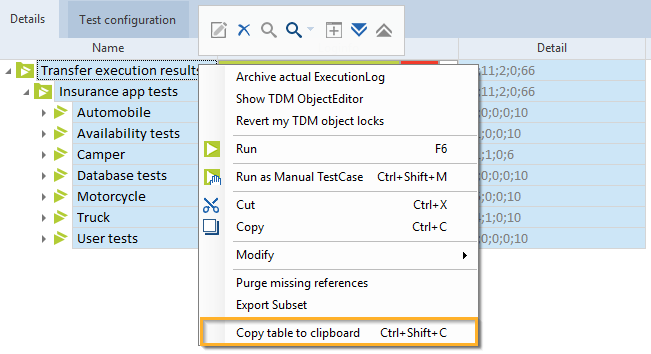
Select Copy Table to clipboard in the context menu
-
Paste the information into a Microsoft Excel sheet.
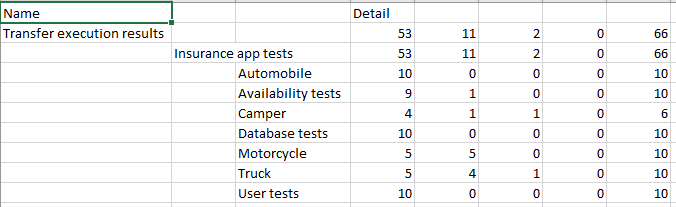
Data in Excel
Once you have pasted the values from the Detail column into the Microsoft Excel sheet, you can start processing your data.