Edit advanced settings
In the Advanced tab of the Tosca API Scan window message section, you can select a security protocol, enable or disable automatic HTTP redirects, and define how API Scan formats API messages before it sends them.
Set the security protocol
Tosca API Scan lets you choose the security protocol that protects your message transmissions. You can select various security protocols, from older standards like SSL 3.0 to modern TLS versions. When you select Default, API Scan uses the highest protocol version the server supports.
Work with automatic redirects
Tosca API Scan automatically follows HTTP redirects by default. If a request receives a redirect response, API Scan resends the request to the redirect URL provided by the server. You can configure the following redirect behavior:
-
Redirect Auth: Select this option to include authentication details when API Scan follows a redirect.
-
Auto Redirect: Deselect this option to prevent API Scan from following redirects automatically.
When you disable Auto Redirect and the server returns a redirect response, API Scan doesn't follow the redirect. Instead, the response message reports an error with the redirect status code.
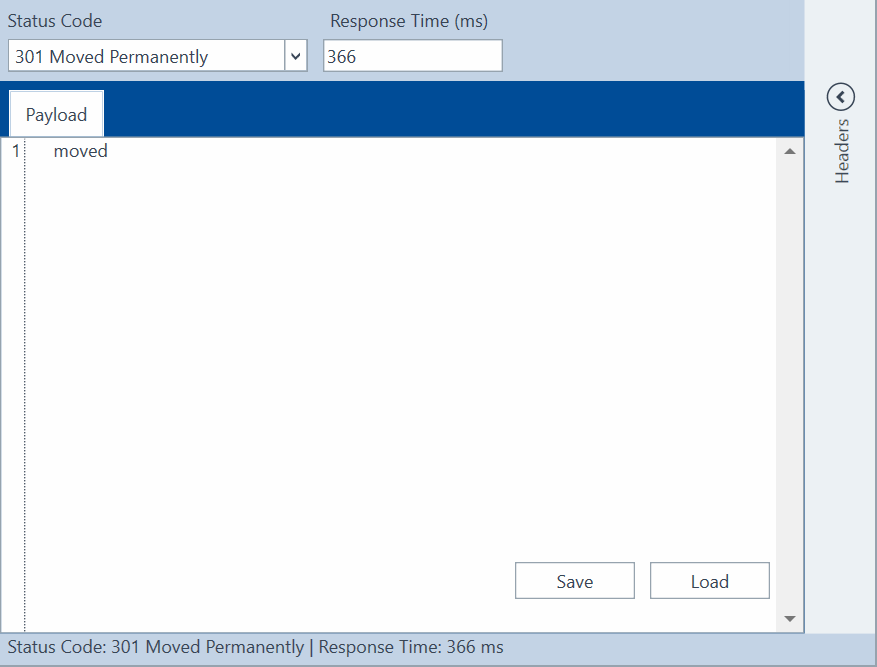
Status Code error message
Auto format API messages
By default, Tosca API Scan keeps the original structure of API messages. You can configure API Scan so that it applies temporary formatting when you send a message. This doesn't affect the original payload, which the API Scan leaves unchanged. Choose one of the following options:
-
Pretty: Formats the API message to a structured, human-readable layout. It adds line breaks and indentation without changing the message content or behavior.
-
Single line: Places the entire API message on one line. This format reduces whitespace and ensures that systems which require compact formats can consistently process the payload.