Import BPCA Run Results into Tricentis Tosca
If changes were made to the Solution Documentation branch, you can update these in Tricentis Tosca. BPCA Run results are thereby imported from SAP into Tricentis Tosca. Any TestCases that are linked to Requirements involved are saved to a virtual folder.
-
Right-click the RequirementSet and select SAP Solution Manager->Import BPCA Result from the context menu.
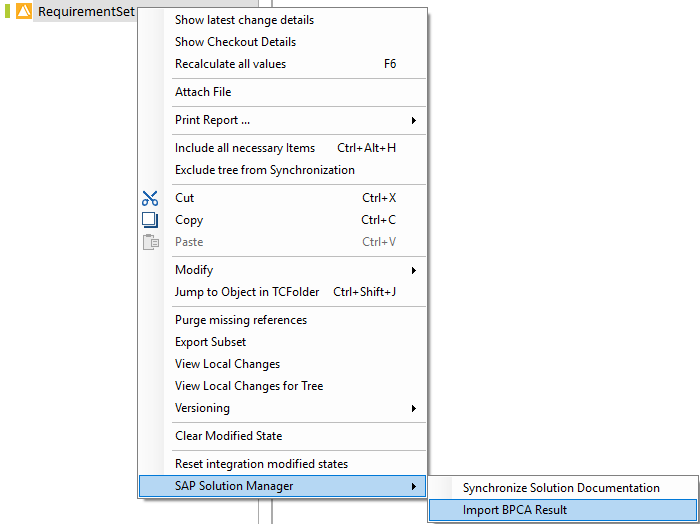
Updating Requirements
-
Select the SAP Run whose results should be imported from the subsequent dialog box and click OK.
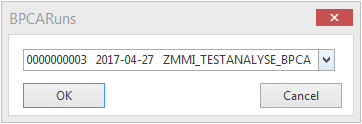
Selecting the SAP Run
Tricentis Tosca creates a virtual folder which includes all TestCases that have been subject to changes.

TestCases in the virtual folder
If the current user is not authorized to modify the parent folder, or if the required folder has not been checked out, Tricentis Tosca will open the search window instead of creating a virtual folder.