With the XBrowser Engine 3.0, you can open websites in a browser.
Use the Module OpenUrl to specify the website.
This Module is part of the Standard subset. You can find it under Standard modules->Engines->Html.
The XBrowser Engine 3.0 doesn't validate whether the URL you entered is accessible. Even if the URL is unreachable, the TestStep passes.
In this example, you open the URL https://support.tricentis.com in Chrome.
-
If a browser window is already open, Tosca opens the page in the active tab of this window, without passing any command-line arguments.
-
If no browser window is open, Tosca passes the --incognito argument and opens a new window in incognito mode.
Note that to open browsers in incognito mode, you need to enable our browser extension to work in incognito or private mode.
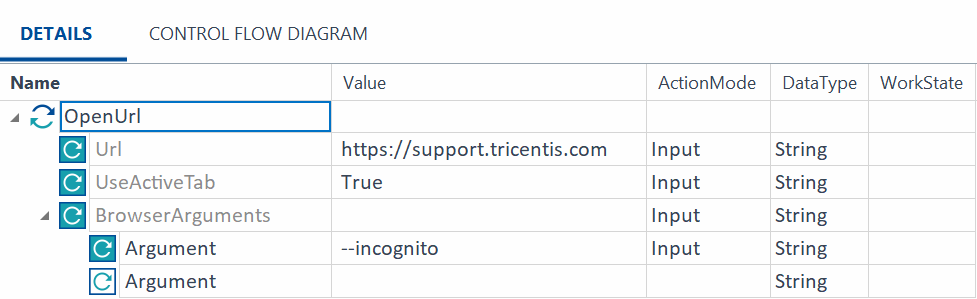
Open a website