Connect to Mail Server
The Module Connect to Mail Server allows you to specify an email server that you can use to test email features.
This Module is part of the Standard subset. You can find it under Standard modules->Engines->Mail.
In this example, you establish a connection with the name SampleConnection, which connects to the mail server mailengine.examplecompany.com.
This connection has the following specifications:
-
Use the credentials of John Doe to connect.
-
Connect via port 110.
-
Don't use a secure connection.
-
Use the POP3 Email protocol.
Use the following TestStep to define your connection to the Mail Server.
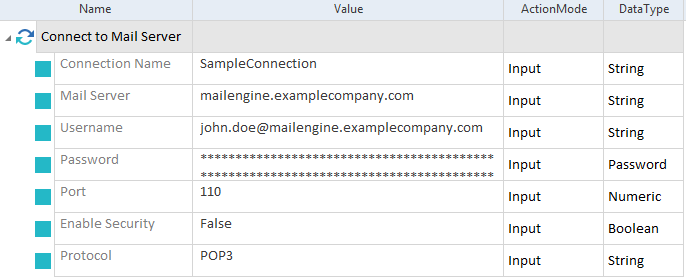
Establish a connection to mailengine.examplecompany.com
The actual connection happens during sending or receiving email.