Tricentis Data Integrity
Tricentis Data Integrity allows you to end-to-end test your data with automated TestCases.
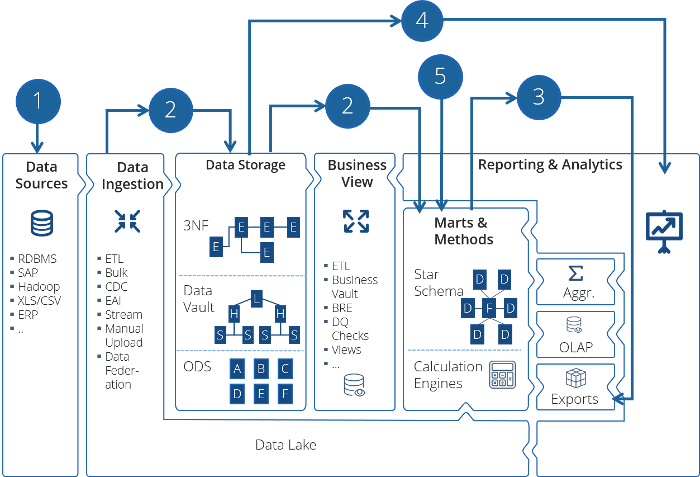
Tricentis Data Integrity end-to-end support
The following main test types help you ensure data quality throughout all stages of your Data Integrity testing cycle:
-
Pre-Screening Tests: verify whether your files contain the expected data.
-
Vital Checks and Field Tests: ensure the integrity of your data as well as the completeness and correctness of tables and fields.
-
Reconciliation Tests: compare two data sets from two different systems.
-
Report Testing: check the presentation and the content of reports.
-
Profiling: validate data from a business perspective for logical consistency and correctness.
Licensing
To use Tricentis Data Integrity testing artifacts, you need to have a valid Data Integrity license.
-
For detailed information on licenses, contact your
-
For a quick overview of available licenses and when they are consumed, see our FAQ.
Troubleshoot license error message
If you have installed Data Integrity without a valid license, you receive an error message. To avoid that, you have to disable the Data Integrity AddIn.
To do so, go to the Tosca Commander Options and deselect Tosca Data Integrity->Enabled.