Using XML Modules in the TestCase
At least one Module is created if an XSD file is scanned. The Module whose name matches the name of the XSD file is used for creating a TestCase from an XSD schema. This is dragged over the required TestCase.
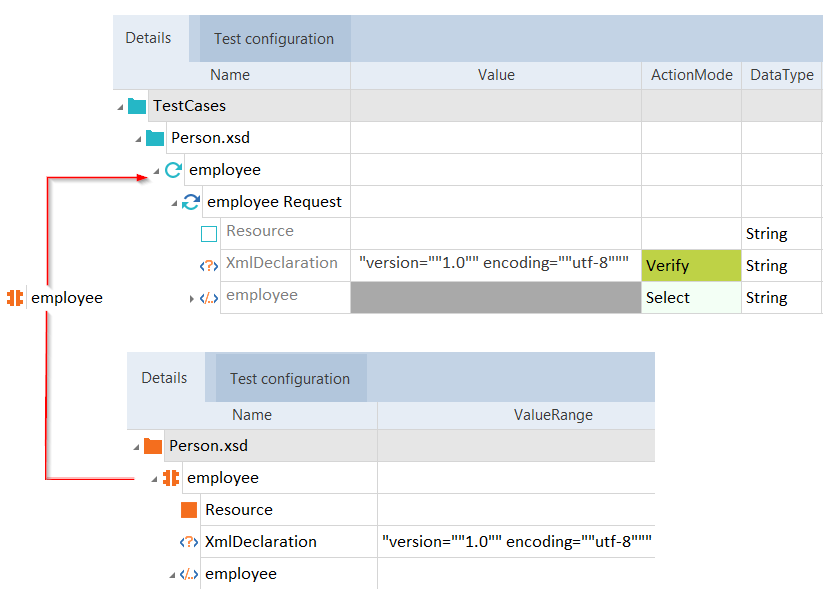
Creating TestStep from XSD schema module
Example - Creating XML file from XSD Module

|
Creating XML file from XSD Module |
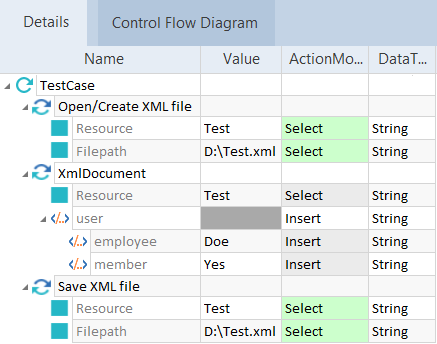
For further information on editing XML TestCases, please see also chapter "Structure of XML TestCases".