Generate execution list
You can generate an ExecutionList and manual TestCases for a scenario.
To create an ExecutionList for a scenario, follow the steps below:
-
Select the scenario for which you want to create an ExecutionList. Alternatively, you can also select a tester or a session. If you select a tester or a session, Tricentis Tosca creates an ExecutionEntry for all scenarios under that object in the newly created ExecutionList.
-
Click on
 Execution List in the dynamic menu Exploratory Testing.
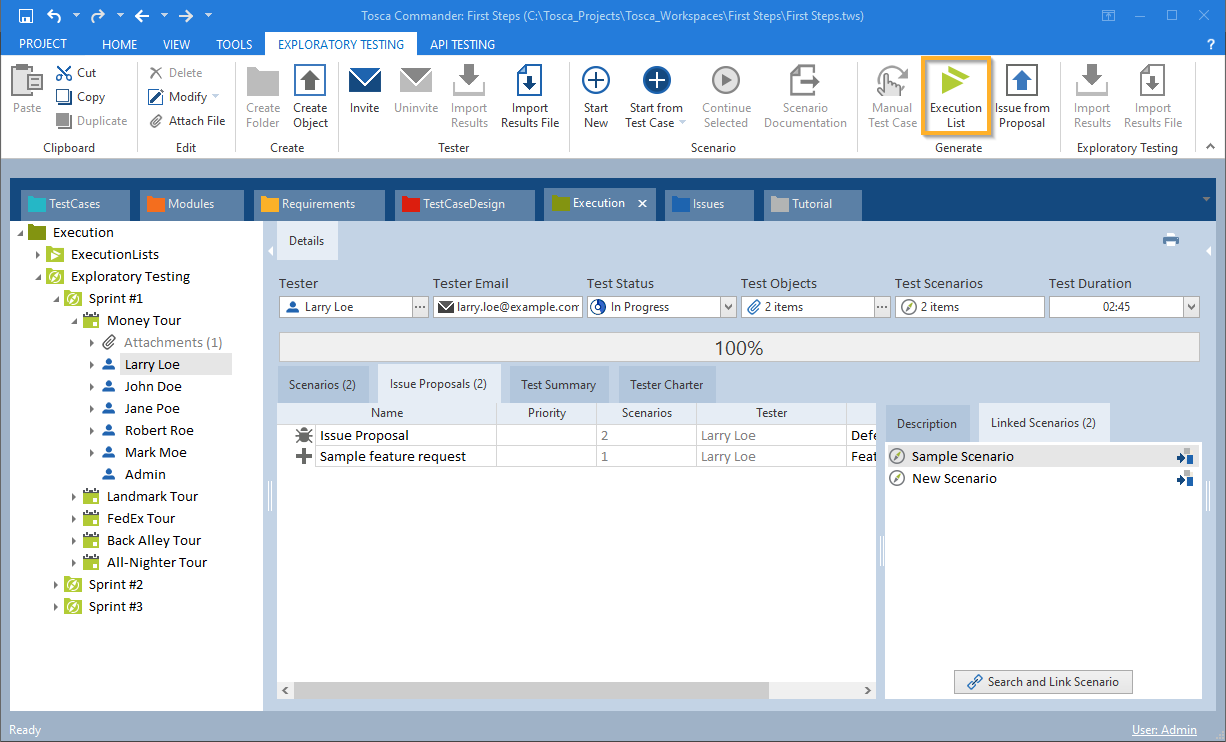
Generate ExecutionList for scenario
-
If you additionally want to turn issue proposals that are linked to the scenario into proper issues, click on the Yes button in the subsequent dialog.
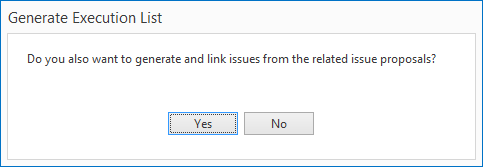
Generate ExecutionList for scenario
Tricentis Tosca saves the created ExecutionList, ExecutionEntries, manual TestCases and issues in a newly created ComponentFolder which is named after the session.
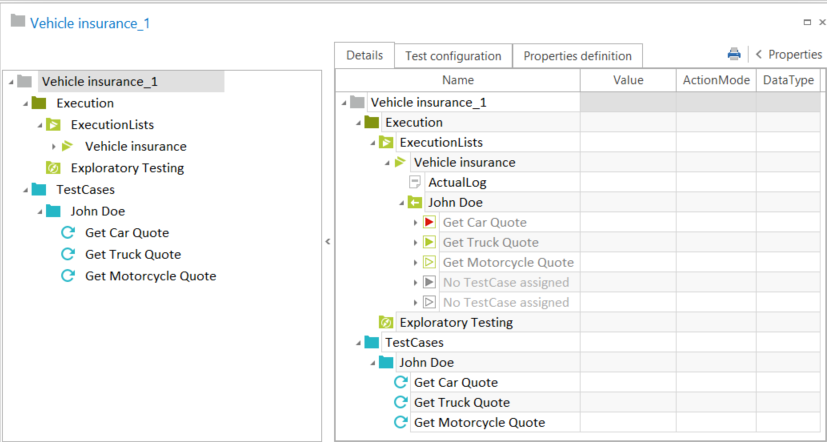
Generate ExecutionList for scenario

|
You can define the priority value to use when converting issue proposals to proper issues in the Settings dialog under Settings->Commander->Exploratory Testing (see chapter "Settings - Exploratory Testing"). |