Connecting Testim to Github
GitHub integration allows you to report bugs in Github Issues section straight from Testim. All the relevant bug info will be automatically populated.
→ To Connect Testim to Github:
-
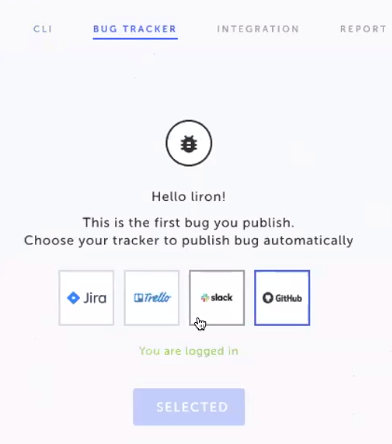
Go to Settings > Bug Tracker.
-
Click the Github logo.
-
Click the Log in link.
-
Click Sign in at the top of the screen and log in to your Github account.
-
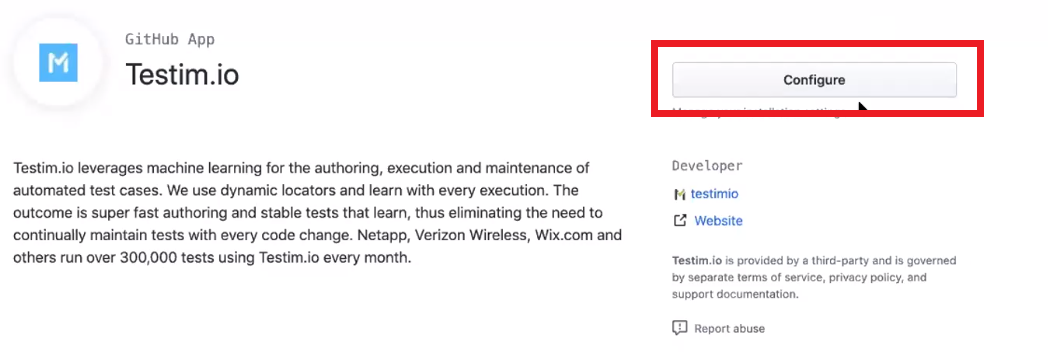
After logging in, click Configure.
-
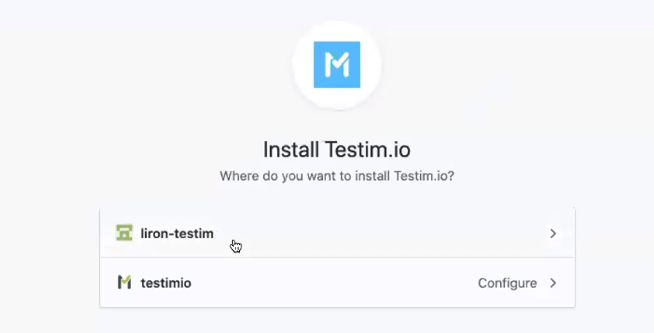
Specify where to install Testim.io by clicking the relevant account.
-
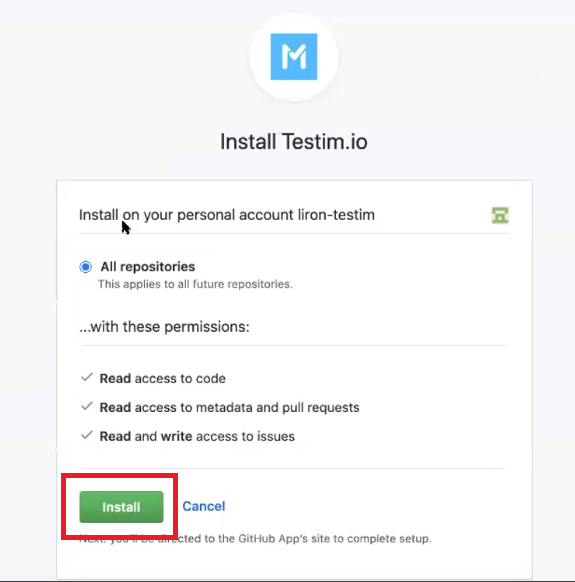
Click Install.
-
Go to Settings > Bug Tracker screen and click Github.
-
Make sure the "You are logged in" message is displayed.
The following notice is presented:
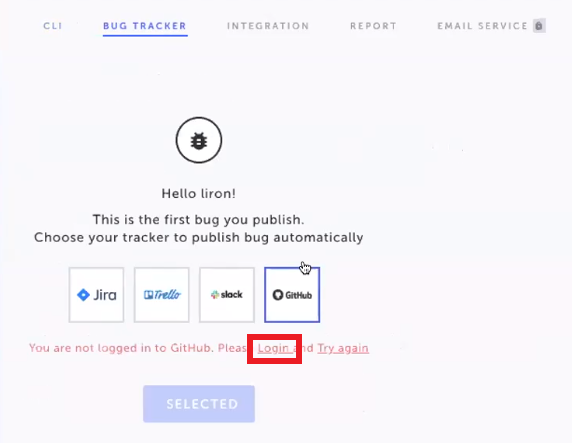
The following notice is presented:

At this point the Testim Visual Editor is opened in the Settings > CLI screen.