Data Query for Jira Fields
The Data Query for Jira fields includes the ability to search qTest Requirements, Test Cases, and Test Runs with linked Jira Requirement and Defect fields. This enables you to locate Jira data that is associated with qTest much easier!
You must Fetch Jira Defects and Retrieve Jira Data for Requirements from the Integration Settings page, before attempting to query Jira fields. This manual step re-indexes your database, to allow for the query to return results using Jira data.
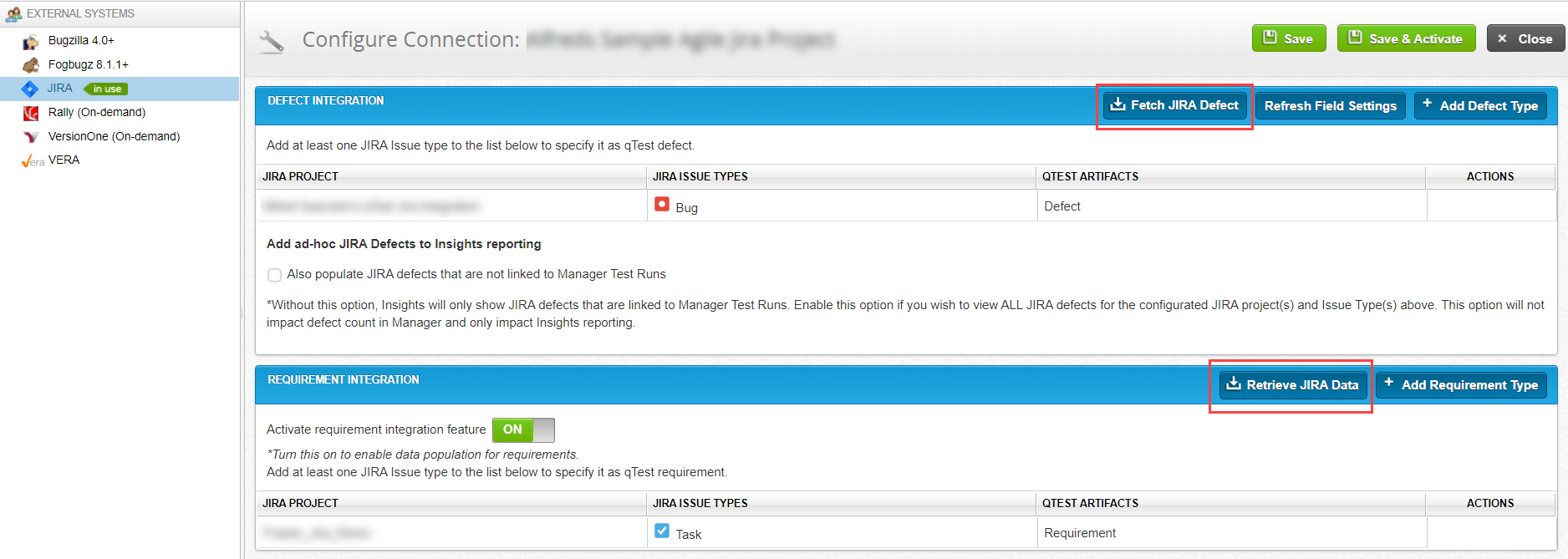
You can select the following qTest data and Jira fields/values in the Data Query Criteria fields and view the results in the Query Result grid view.
Requirement Data Query
-
qTest Requirements by Jira Requirements fields
-
qTest Test Cases by Jira Requirements fields
Important
-
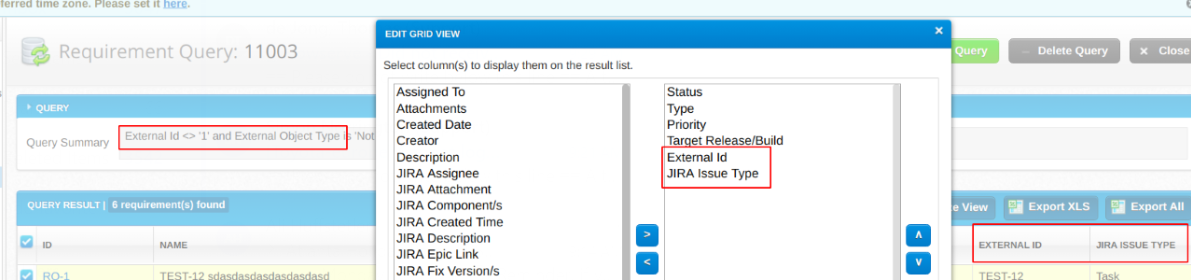
The "Jira ID" field displays as "External ID."
-
In the Criteria drop-down, the "Jira Issue Type" field displays as "External Object Type."
-
The “Jira Issue Type” displays in Customize View, Query Results grid and Export.
-
"External ID" and "External Object Type" displays in Customize View, Query Results grid, and Export.
Example query using qTest Requirements by Jira Requirement fields:
-
Defect Data Query
-
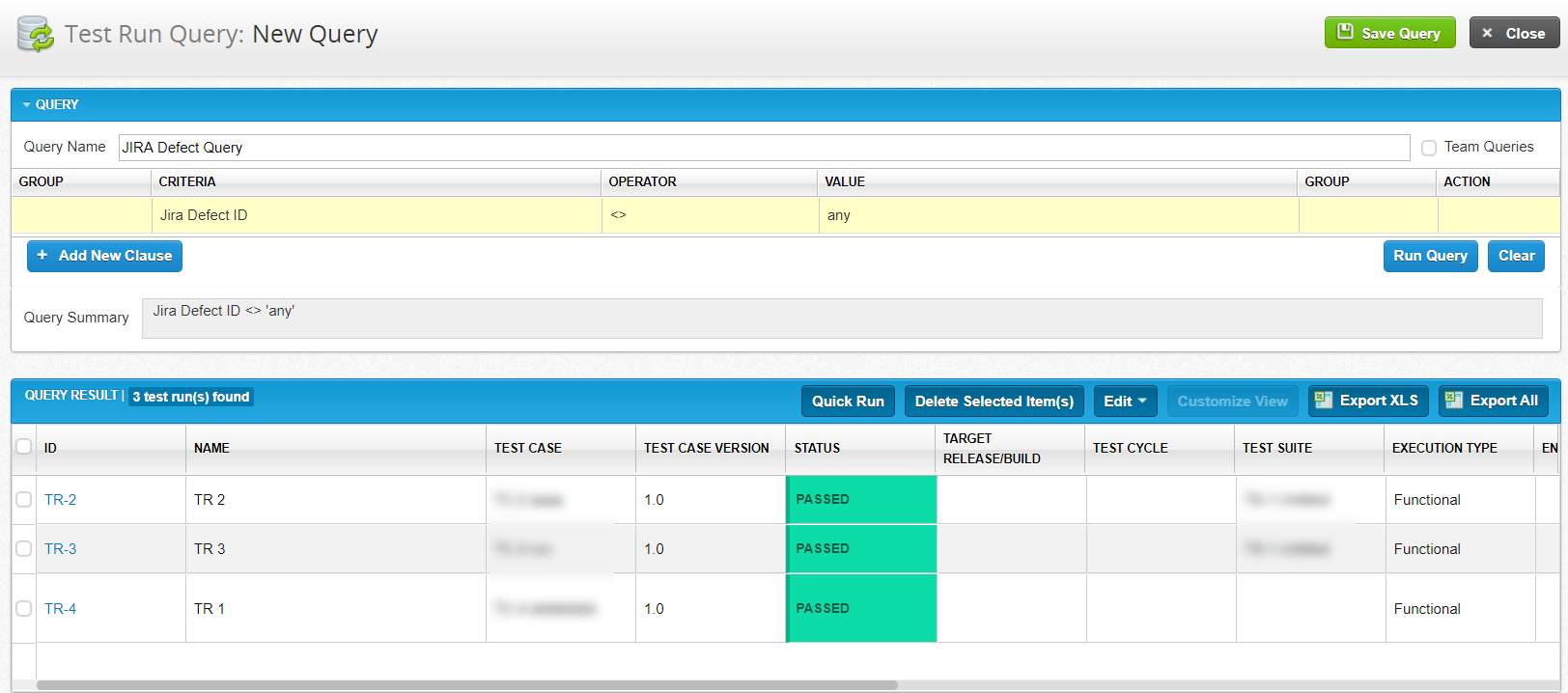
qTest Test Runs by Jira Defects fields
Example query using qTest Test Runs by Jira Defect fields:
Known Limitation
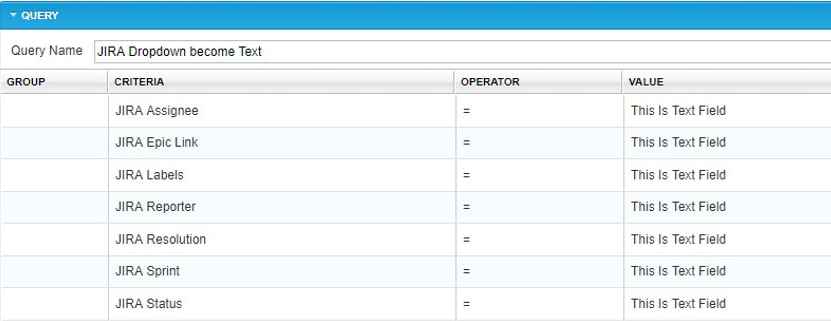
Due to a Jira API limitation, Jira fields that use a dropdown box for the value, display as a text box in the value field of a clause.
Example:

Below is a cumulative list of the affected Jira fields.