Execute Universal Agent
Manually execute Universal Agent
There are two reasons to execute Universal Agent manually, instead of scheduling it:
-
When you first create the Universal Agent, there will be no automated test runs in qTest Manager for you to schedule the tests.
-
You want to `DEBUG` your Universal Agent. For example:
-
You want to make sure your Pre-Execute Script is configured correctly.
-
You want to make sure your Execute Command runs properly.
-
You want to test your newly created custom test result parser.
-
Execute Universal Agent from Launch
To execute an agent from Launch, follow these steps:
-
In qTest Launch, select the host you want to execute an agent for and select View from the Action dropdown.
-
Find the agent you want to execute on this host and select Execute from the Action dropdown.
The agent then executes on the Automation Host during the next polling cycle.
Schedule Test Execution with Universal Agent
The practical usage of Universal Agent is to schedule it to execute your tests from qTest Manager.
-
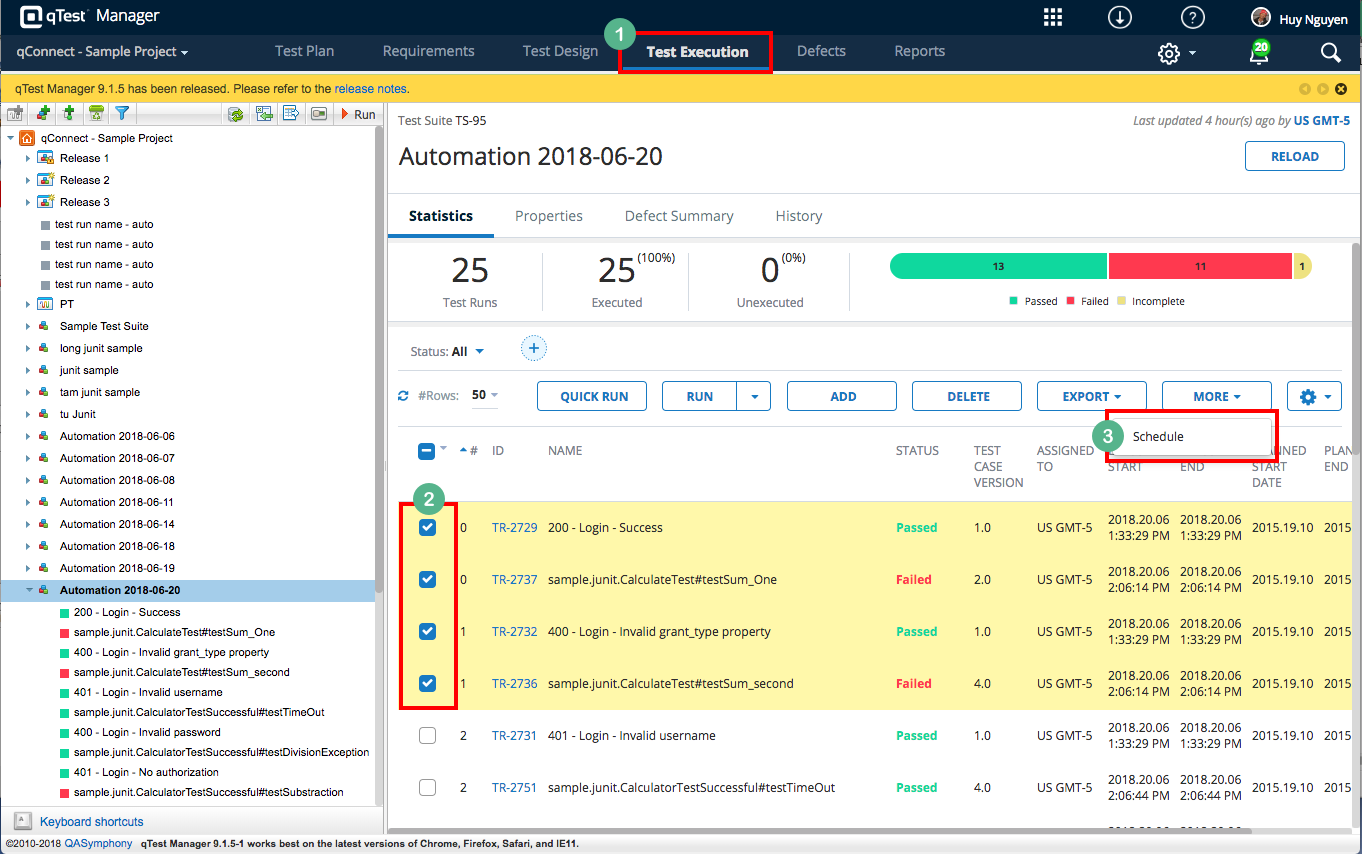
From qTest Manager, select the Test Execution tab.
-
Locate and select the automated test runs that you want to schedule for execution.
-
Select the More button, and then Schedule.
-
The Schedule Automation Test Executions dialog appears. Make sure you select the host with the Universal Agent you want to execute.
-
Input relevant information for the schedule and select OK.
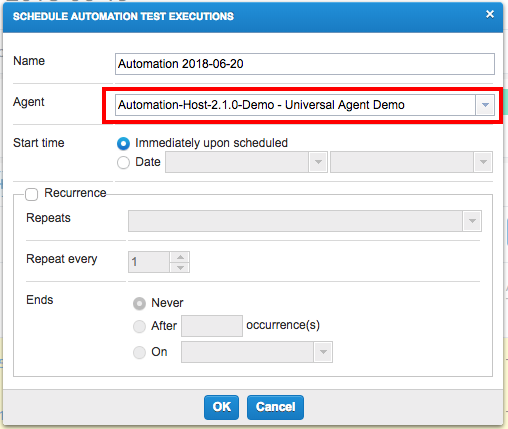
Now, the next time the Automation Host polls to qTest Manager, your jobs schedule will be executed by the Universal Agent.