Assigning Users to Sessions
Assign to Single Sessions
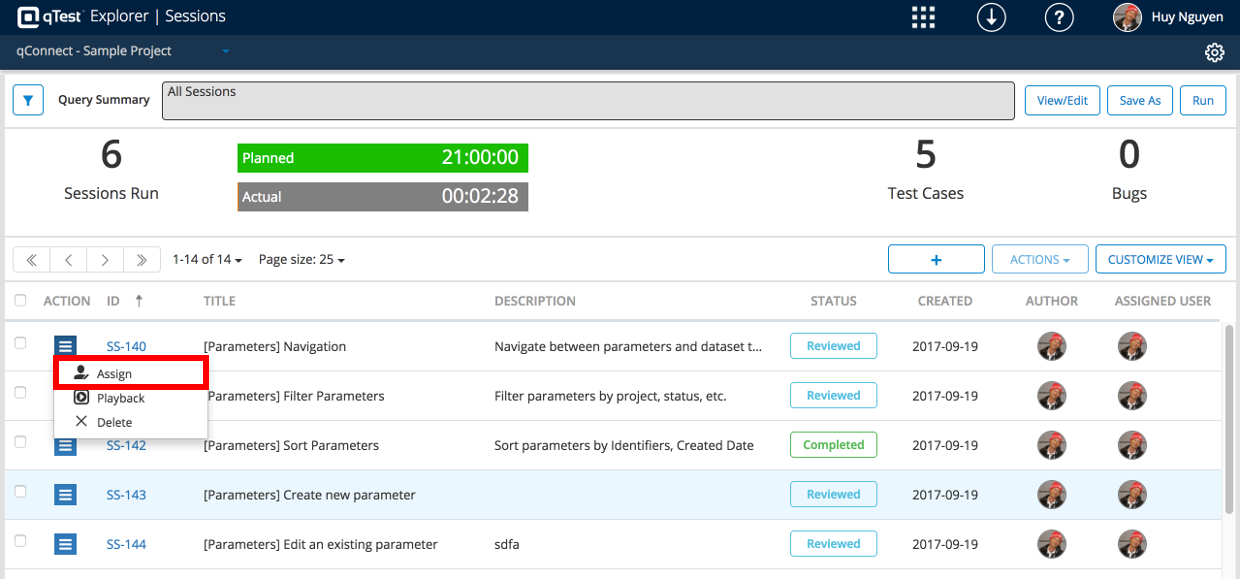
Click on the icon  in the last column of the session grid and select Assign from the pop-up menu.
Assign to Multiple Sessions
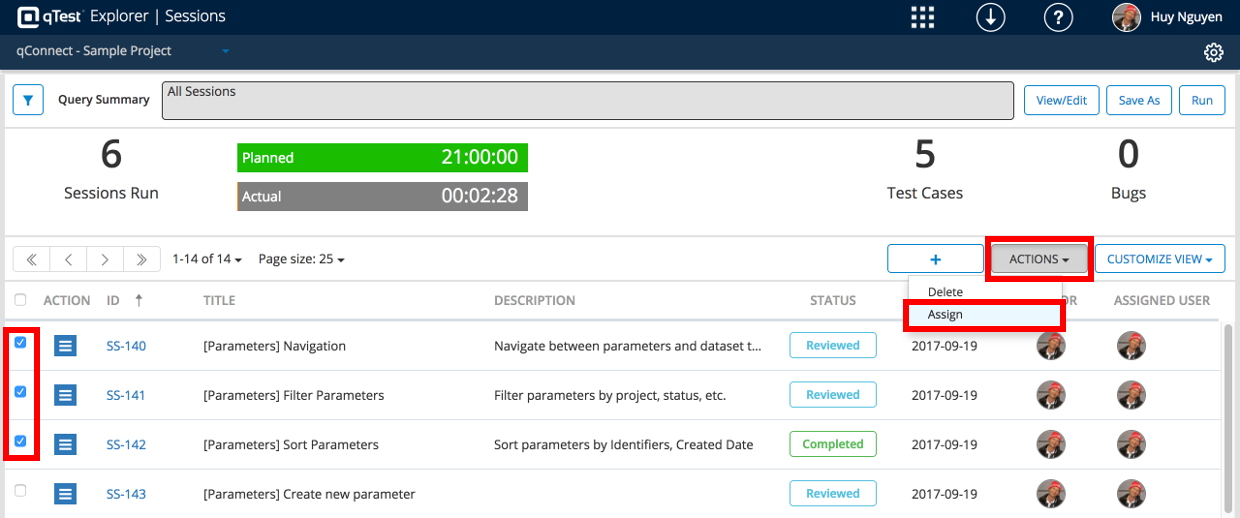
Select a number of sessions in the session list then click the Actions button in the top right corner and select Assign from the drop-down menu.
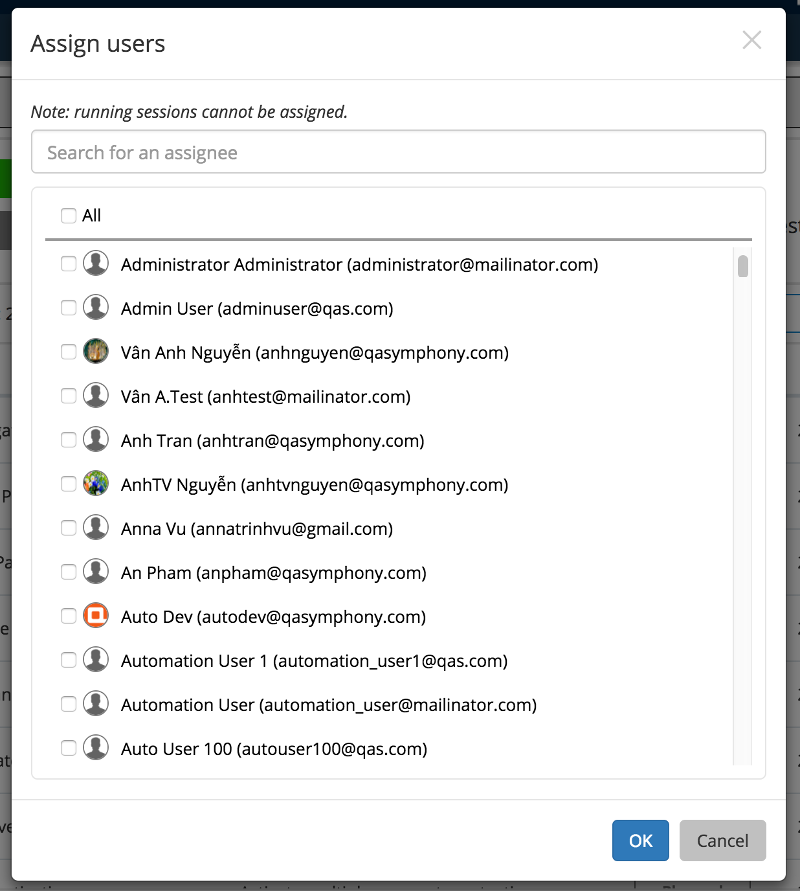
The Assign users dialog will be shown for you to select, or search for, users to assign to the selected sessions.