Install Web Explorer
qTest Web Explorer brings all of the powerful capture abilities of Desktop Explorer across different OS types through a browser plug-in. Web Explorer is suggested for all non-windows OS users.
Supported Browsers
Chrome Browser
-
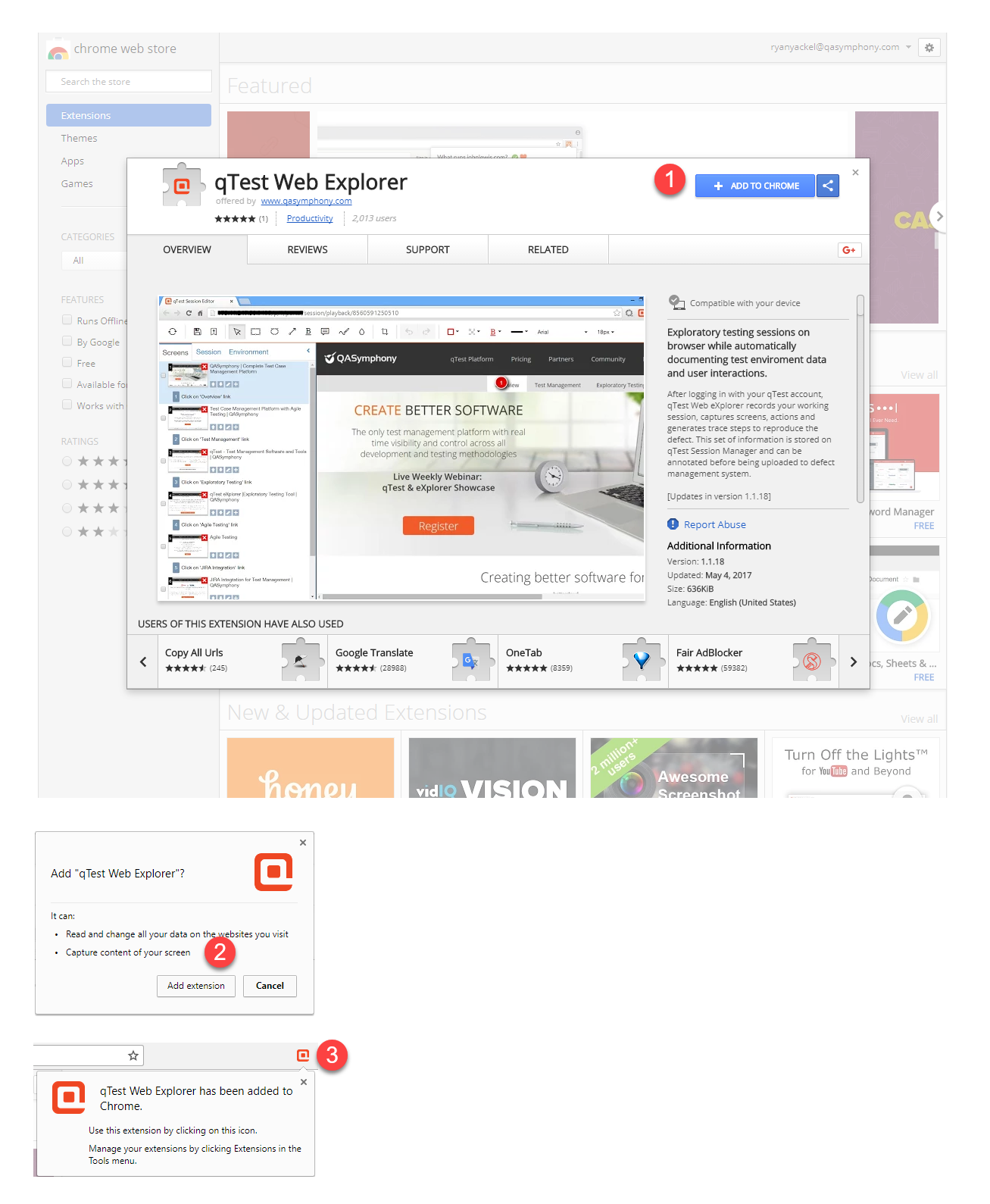
Open Chrome browser and navigate to qTest Web Explorer Extension for Chrome.
-
Click + ADD TO CHROME button.
-
Web Explorer will display a notification message when installation is complete.
MS Edge + Chrome Browser
Tricentis provides an alternative approach for capturing MS Edge on both Mac and Windows using the MS Edge + Chrome Web Explorer. The reason for this possibility is MS Edge is being built on top of the open source Chromium, which makes it a Chrome-alike browser, and so it supports installing and running Chrome extension, like qTest Web Explorer.
-
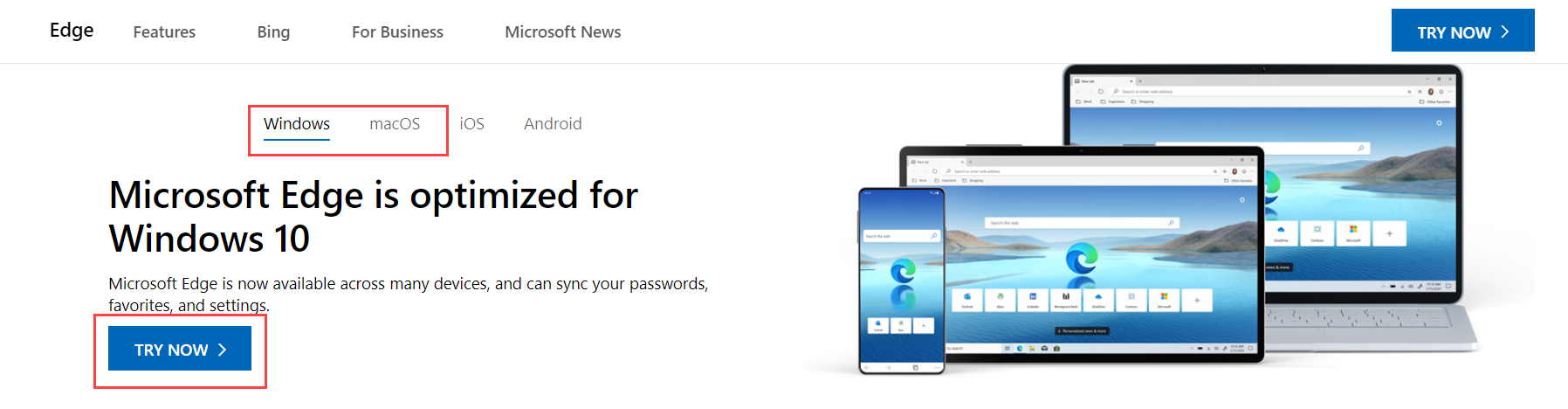
Open your Chrome browser, and download MS Edge for your appropriate operating system.
-
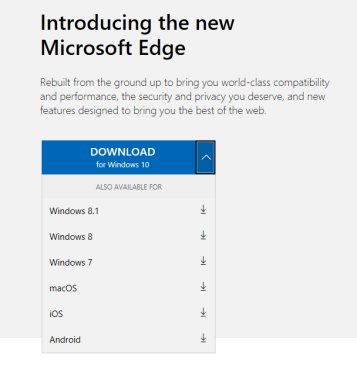
Select Try Now and the download screen opens in a new MS Edge window. You have the option to expand the Download button for alternative OS versions.
-
Accept the Terms and Conditions, and select Run to begin the download.
- Once the MS Edge download is complete, launch the Edge browser and follow the Chrome Browser to complete installation of the qTest Web Explorer extension for Chrome.