ID Prefix Settings
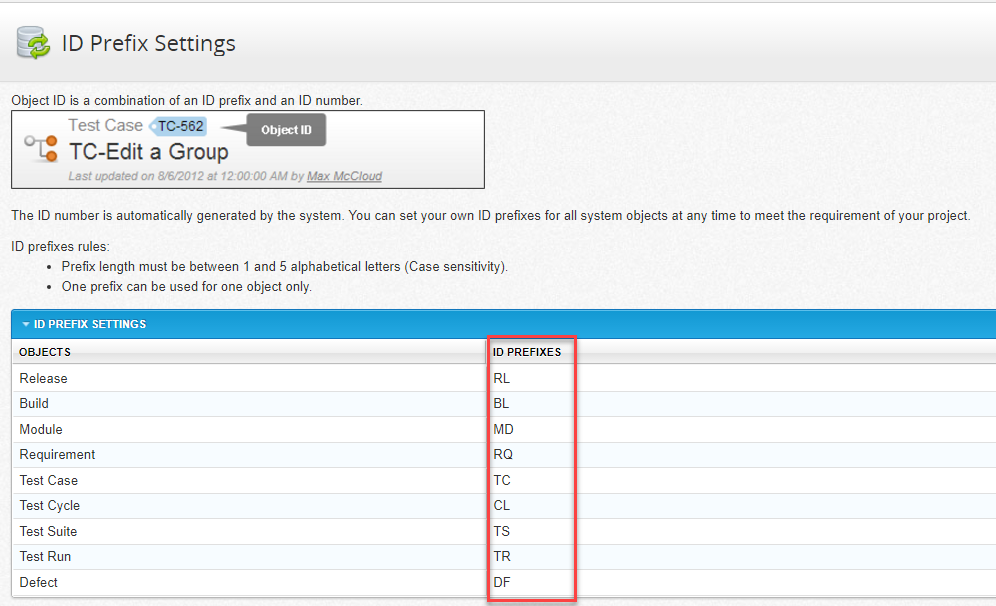
An object ID is a combination of a customizable ID Prefix and an auto-generated ID number in chronological order of objects creation. Although qTest Manager sets default objects' ID Prefixes, you can customize them to fit their demand.
The ID Prefix Settings can be different between projects.
To customize ID Prefixes, you need the Manage Project Settings permission.
-
Select the Gear icon, and select ID Prefix Settings.
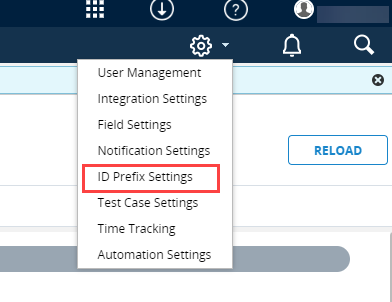
The ID Prefix Settings page displays.
A table displays default ID Prefixes for objects in qTest.
-
In the ID Prefix Settings table, replace the default Prefix with your own Prefix for a specific object.
-
Select Save.