Install Web Explorer in Developer Mode
Install qTest Web Explorer 1.1.24 to Chrome browser
The Chrome web store has temporarily removed the qTest extension, as a workaround you can still download the extension in Developer Mode.
-
Download the qTest Web Explorer 1.1.24: https://qtest-storage.s3.amazonaws.com/eXplorer/web/1.1.24/qtestwebexplorer.zip
-
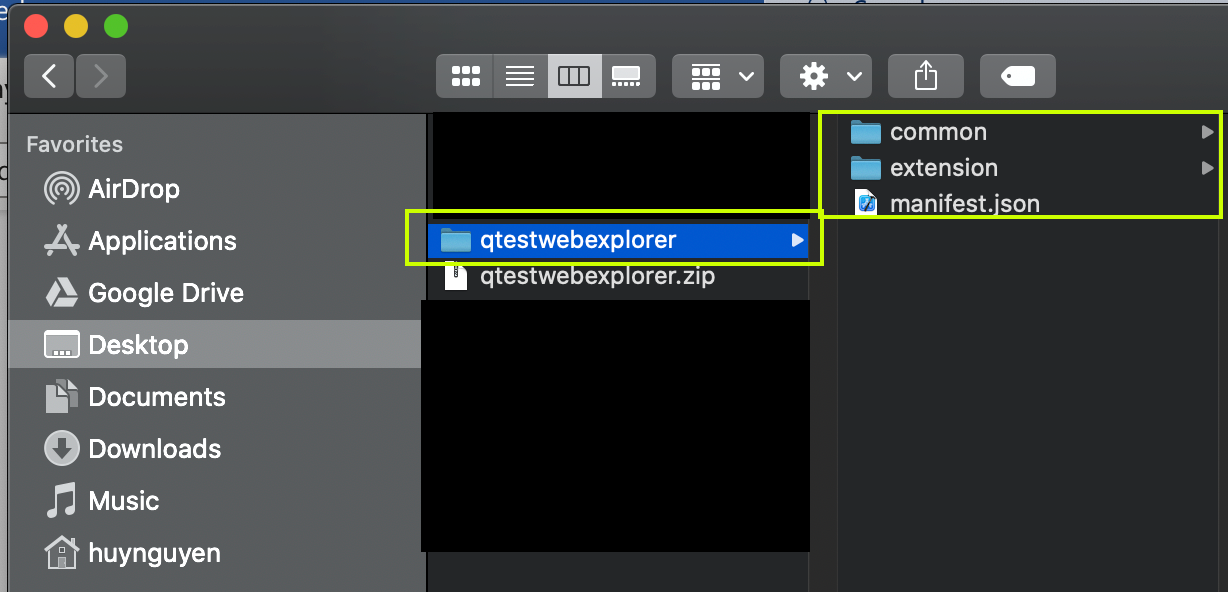
Unzip the file to desired location in your local machine. The package will be extracted to a folder as below example:
-
Open Chrome browser.
-
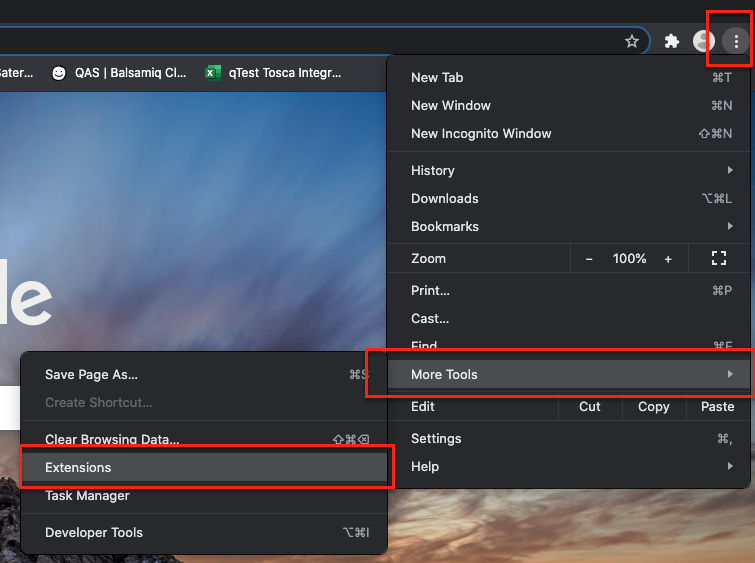
Open Extensions page.
-
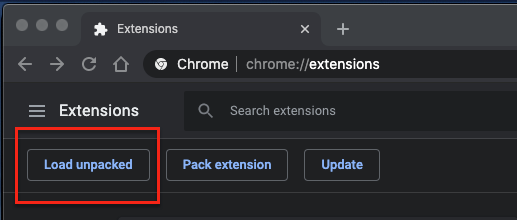
Turn on Developer mode.

-
Click the Load unpacked button.
-
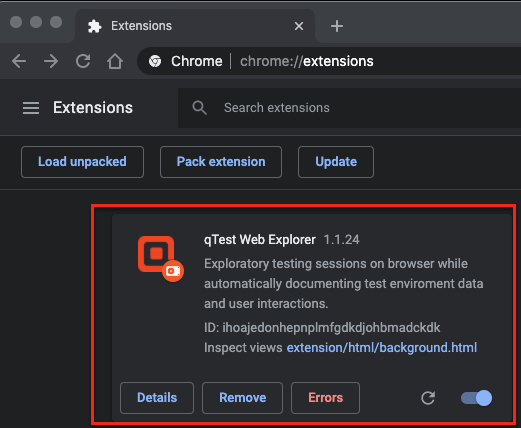
On the select extension dialog, select the extension folder that you unzipped at step 1.2. the extension will be installed to Chrome, as shown below.
Ignore the errors for now.
-
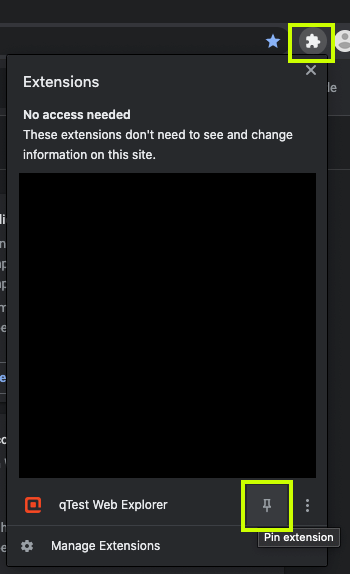
(Optional) Pin the extension to Chrome toolbar.
-
Click the Chrome Extension icon. Locate qTest Web Explorer item in the list. Click the Pin icon.
-
The qTest Web Explorer extension icon will be displayed in Chrome extension toolbar.
