Use shared Containers
Shared Containers allows you to reuse the logic that is common to several User Paths, a Login phase for example.
Once a container is shared and used in several User Paths, each change in the Shared Container needs to be performed once only for all several User Paths.
Example
-
Record and declare a regular Container
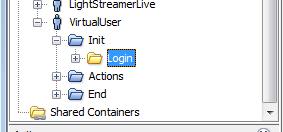
-
Drag&Drop to "Shared Containers": the original Container is moved as a Shared Container and automatically replaced by a Link to the Shared Container.
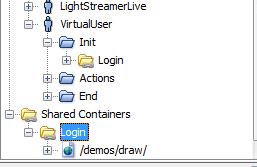
-
Edit the shared Container when required. Two locations for modifying a Shared Container:
-
Inside the User Path
-
Inside "Shared Containers"
More information on Shared Containers.