Checkout a branch (GIT)
NeoLoad makes it possible to checkout a branch from a GIT server.
To checkout a branch from a GIT collaboration server, NeoLoad must be configured to connect to a GIT server as described in Configure the connection to a collaboration server.
The Checkout command is accessible in the Share menu.
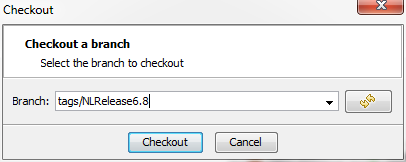
Branch: The field can be populated with the name of a branch, tag or commit ID.
A click on the refresh button allows retrieving the branches or tags available on the server.
A click on the Checkout button validates the checkout.