Export M-eux scripts
After customizing the M-eux test scripts, you need to export the Java project to a runnable JAR file so that it can be launched by NeoLoad.
If you are working in the Eclipse IDE, follow the steps below:
-
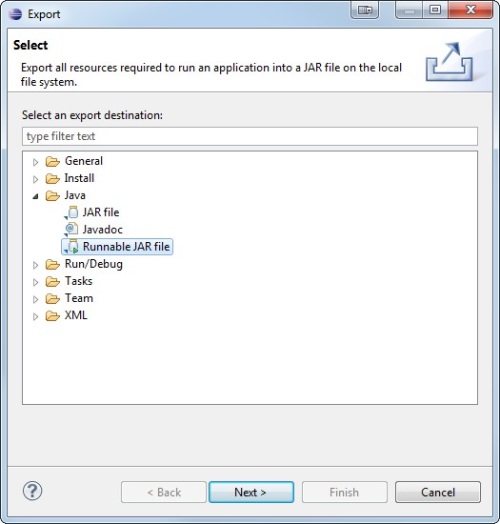
Right-click on your Eclipse project and select Export to a Runnable JAR file.
-
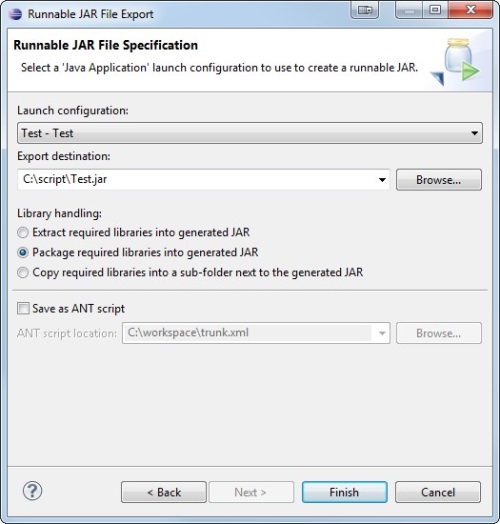
Enter a project name, specify the directory where to save the JAR file:
-
In the
/custom-resourcesfolder of your NeoLoad project. -
In the
/extlibdirectory of your NeoLoad installation for multi-project usage.
-
-
Click Finish.
The file will be automatically sent to Load Generators when a test is run.