Configure LDAP advanced actions
Lightweight Directory Access Protocol is a vendor-neutral protocol for managing and accessing network resources, such as authentication servers or directory-based devices like printers. LDAP advanced actions allow performance testers to connect to an LDAP server and perform lookups using NeoLoad.
For the integration's requirements, check out this table:
| Requirements | Description |
|---|---|
| Maturity | NeoLoad doesn't support it |
| License | BSD Simplified (opens in new tab) |
| NeoLoad version | Compatible from version 6.5.1 |
| Requirements | NeoLoad Enterprise and Professional editions with Integration & Advanced Usage |
| Bundled with NeoLoad | Yes |
| Download Binaries | You can find them in our support hub (opens in new tab) |
Before you start
Before you set up the LDAP advanced actions, follow these steps:
-
Download the latest advanced action .jar file from the latest release (opens in new tab).
-
Add the .jar file to the extlib folder of your NeoLoad project directory.
-
Reopen your NeoLoad project to load the new action.
Use LDAP advanced actions
NeoLoad includes these LDAP advanced actions:
-
LdapConnect
-
LdapLookup
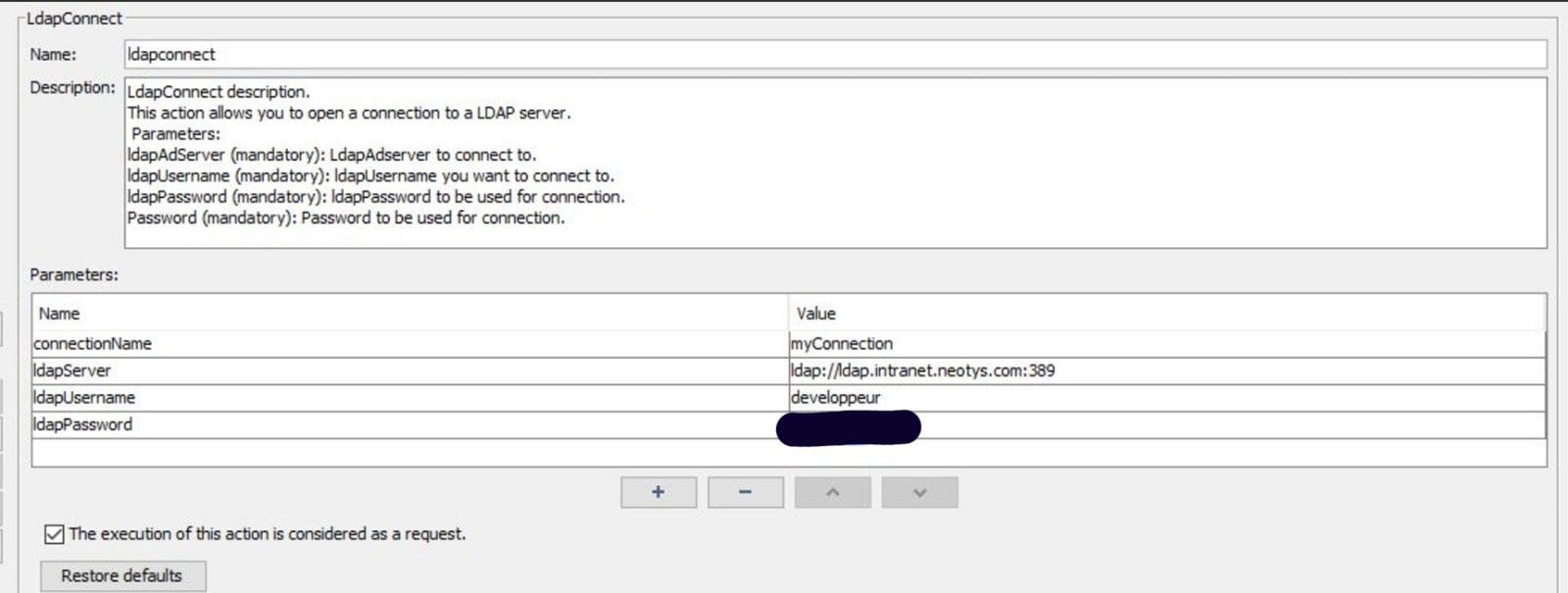
LdapConnect
LdapConnect establishes a connection to an LDAP server. Use this action to authenticate and set up communication with the LDAP server.
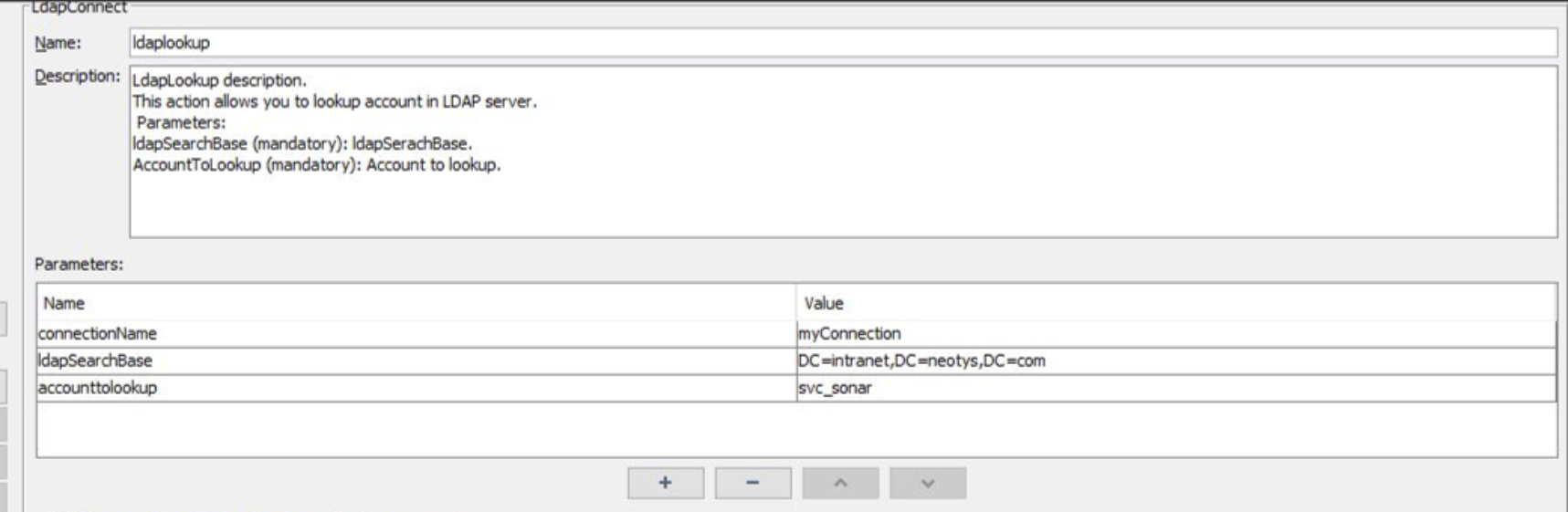
LdapLookup
LdapLookup performs a lookup operation on the LDAP server. This can be used to query accounts or other directory resources.
Change log
Version 0.0.1 (April 1, 2022)
-
Initial release with account lookup functionality.