AMQP
The Advanced Message Queuing Protocol (AMQP) is an open standard application layer protocol for high performance enterprise messaging.
Overview
This section describes the NeoLoad Advanced Actions that allow performance testers to send messages using AMQP or AMQPS protocols version 0-9-1, 0-9 and 0-8, and extensions (AMQP 1.0 is not supported).
Connect
This Advanced Action establishes a connection to an AMQP server
Parameters
| Name | Description |
|---|---|
| connectionName | Name of the AMQP connection to be referenced for further usage. |
| hostname | AMQP server hostname or IP address. |
| port | AMQP server port. |
| username | User name to connect to the AMQP server. |
| password | Password to connect to the AMQP server. |
| virtualHost | Virtual host. |
| sslProtocol | SSL protocol to use, e.g. TLSv1, TLSv1.2 or keep value empty for default SSL protocol. |
| requestedChannelMax | Maximum channel number to ask for. |
| requestedFrameMax | Frame-max parameter to ask for (in bytes). |
| connectionTimeout | Timeout setting for connection attempts (in milliseconds). |
| handshakeTimeout | Sets the AMQP0-9-1 protocol handshake timeout. |
| shutdownTimeout | Sets the shutdown timeout in milliseconds. |
| topologyRecoveryEnabled | Enables or disables topology recovery ("true" or "false"). |
| networkRecoveryInterval | Sets connection recovery interval (milliseconds). |
| channelShouldCheckRpcResponseType | Defines if the AMQP channel should check the RPC response type or not ("true" or "false"). |
| workPoolTimeout | Timeout in milliseconds for work pool enqueueing. The WorkPool dispatches several types of responses from the broker (e.g. deliveries). A high-traffic client with slow consumers can exhaust the work pool and compromise the whole connection (by e.g. letting the broker saturate the receive TCP buffers). Setting a timeout would make the connection fail early and avoid hard-to-diagnose TCP connection failure. Note this should not happen with clients that set appropriate QoS values. |
| channelRpcTimeout | Continuation timeout in milliseconds for RPC calls in channels. |
| disableNio | Enables or disables the Nio mode. Default is false, it is using Nio. Set to true to disable the Nio Mode. |
| consumerThreadPoolSize | Size of the thread pool for the AMQP Consumer. |
Example
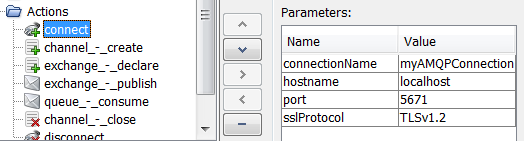
Status Codes
NL-AMQP-CONNECT-ACTION-01: Invalid parameter.
NL-AMQP-CONNECT-ACTION-02: Issue connecting to the AMQP server.
Disconnect
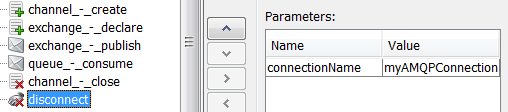
This Advanced Action closes all AMQP channels and disconnects from AMQP server.
Parameters
| Name | Description |
|---|---|
| connectionName | Name of the AMQP connection to disconnect. |
| timeout | Sets the shutdown timeout in milliseconds. |
Example
Status Codes
NL-AMQP-DISCONNECT-ACTION-01: Invalid parameter.
NL-AMQP-DISCONNECT-ACTION-02: Issue disconnecting from the AMQP server.
Channel-Create
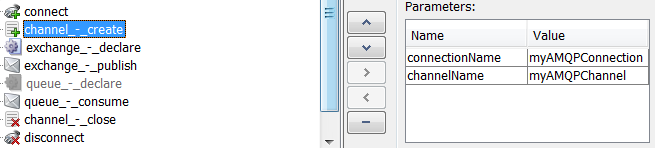
This Advanced Action creates a new channel on an AMQP connection.
Parameters
| Name | Description |
|---|---|
| connectionName | Name of the AMQP connection to use to create a channel. |
| channelName | Name of the AMQP channel to be referenced for further usage. |
Example
Status Codes
NL-AMQP-CREATE-CHANNEL-ACTION-01: Invalid parameter.
NL-AMQP-CREATE-CHANNEL-ACTION-02: Issue while creating channel.
Channel-Close
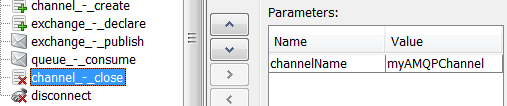
This Advanced Action closes the AMQP channel.
Parameters
| Name | Description |
|---|---|
| channelName | Name of the AMQP channel to close. |
Example
Status Codes
NL-AMQP-CLOSE-CHANNEL-ACTION-01: Invalid parameter.
NL-AMQP-CLOSE-CHANNEL-ACTION-02: Issue while closing channel.
Exchange-Declare
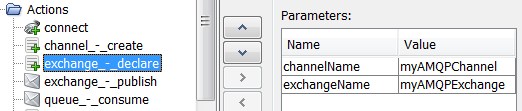
This Advanced Action declares an exchange on the AMQP channel.
Parameters
| Name | Description |
|---|---|
| channelName | Name of the AMQP channel. |
| exchangeName | Name of the AMQP exchange to declare. |
| type | The type of the created exchange. Possible values are: "direct", "fanout", "topic" and "headers". Default value is "direct". |
| durable | If set to "true", the created exchange will be durable. Default value is "false". |
| autoDelete | If set to "true", the created exchange will be auto deleted if not used. Default value is "false". |
| arguments | The arguments used to create the exchange. An argument must follow the pattern "name=[class]value" separated by '\n'. Example : size=[java.lang.Integer]150. One line per argument. |
Example
Status Codes
NL-AMQP-DECLARE-EXCHANGE-ACTION-01: Invalid parameter.
NL-AMQP-DECLARE-EXCHANGE-ACTION-02: Issue while declaring exchange.
Exchange-Publish
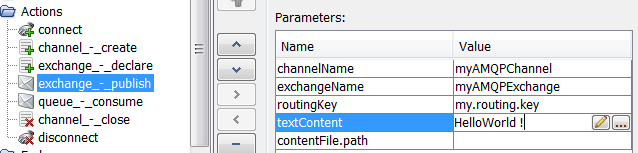
This Advanced Action publishes a message on an AMQP channel.
Parameters
| Name | Description |
|---|---|
| channelName | Name of the AMQP channel. |
| exchangeName | Name of the AMQP exchange where the message will be published. |
| routingKey | AMQP routing key. |
| textContent | The message content. |
| contentFile.path | The path of the content file. Use the variable "${NL-CustomResources}" to access on the Load Generator the synchronized resources located in the "custom-resources" folder of the project. |
| contentFile.charset | The charset of the file. |
| parseFile | Whether to parse or not the file to replace variables. Default value is "false". |
| contentType | The message content type. |
| contentEncoding | The message content encoding. |
| headers | You can setup the name, the value and the class (type) of a header. Default type is "String". The header must follow the pattern "name=[class]value" separated by '\n'. Example : size=[java.lang.Integer]150. One line per header. |
| persistent | Whether the message will be persisted. Default value is "false". |
| priority | The message priority. Default value is "0". |
| replyTo | The message queue to reply to. |
| expiration | The message expiration. |
| messageId | The message ID. |
| timestamp | The message timestamp (with type Long), specifying the number of milliseconds since the standard base time known as the epoch. |
| type | The message type. |
| userId | The message user ID. |
| appId | The message app ID. |
| clusterId | The message cluster ID. |
Example
Status Codes
NL-AMQP-PUBLISH-ACTION-01: Invalid parameter.
NL-AMQP-PUBLISH-ACTION-02: Issue while publishing on channel.
Exchange-Delete
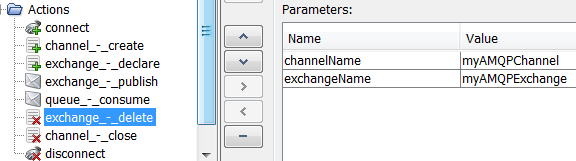
This Advanced Action deletes an exchange on an AMQP channel.
Parameters
| Name | Description |
|---|---|
| channelName | Name of the AMQP channel. |
| exchangeName | Name of the AMQP exchange to declare. |
Example
Status Codes
NL-AMQP-DELETE-EXCHANGE-ACTION-01: Invalid parameter.
NL-AMQP-DELETE-EXCHANGE-ACTION-02: Issue while deleting exchange
Queue-Declare
This Advanced Action declares a Queue on an AMQP channel.
Parameters
| Name | Description |
|---|---|
| channelName | Name of the AMQP channel. |
| queueName | Name of the AMQP queue to declare. If not provided, a queue with a generated name will be created. |
| exchangeName | Name of the AMQP exchange where the queue will be bound. |
| routingKey | AMQP routing key where the queue will be bound. |
| durable | If set to "true", the created queue will be durable. Default value is "false". |
| exclusive | If set to "true", the created queue will be exclusive. Default value is "false". |
| autoDelete | If set to "true", the created queue will be auto deleted if not used. Default value is "true". |
| arguments | The arguments used to create the queue. An argument must follow the pattern "name=[class]value" separated by '\n'. Example: size=[java.lang.Integer]150. One line per argument. |
Example
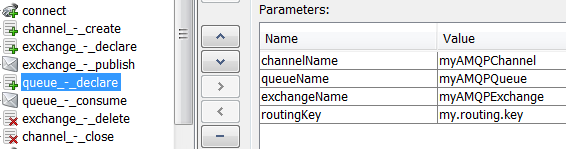
Status Codes
NL-AMQP-DECLARE-QUEUE-ACTION-01: Invalid parameter.
NL-AMQP-DECLARE-QUEUE-ACTION-02: Issue while declaring queue.
Queue-Consume
This Advanced Action consumes a message on an AMQP channel.
Parameters
| Name | Description |
|---|---|
| channelName | Name of the AMQP channel. |
| queueName | Name of AMQP queue where the message will be consumed. |
| timeout | Timeout (in ms) applied to wait for a message. "0"=none. |
| failOnTimeout | If set to "true", the action fails when timeout is reached. |
| autoAck | If set to "true", the server will consider messages acknowledged once delivered. Default value is "false". |
Example
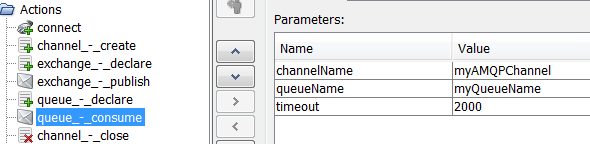
Status Codes
NL-AMQP-CONSUME-ACTION-01: Invalid parameter.
NL-AMQP-CONSUME-ACTION-02: Issue while consuming message on the queue.
Queue-Delete
This Advanced Action deletes a Queue on an AMQP channel.
Parameters
| Name | Description |
|---|---|
| channelName | Name of the AMQP channel. |
| queueName | Name of the AMQP queue to delete. |
Status Codes
NL-AMQP-DELETE-QUEUE-ACTION-01: Invalid parameter.
NL-AMQP-DELETE-QUEUE-ACTION-02: Issue while deleting a queue.
User Path examples
Simple Publish
The following User Path establishes a connection and creates a channel in the "Init" section. In the "Actions" section, a message is published on an already declared exchange. Finally in the "End" section, the channel is closed and the connection is closed.
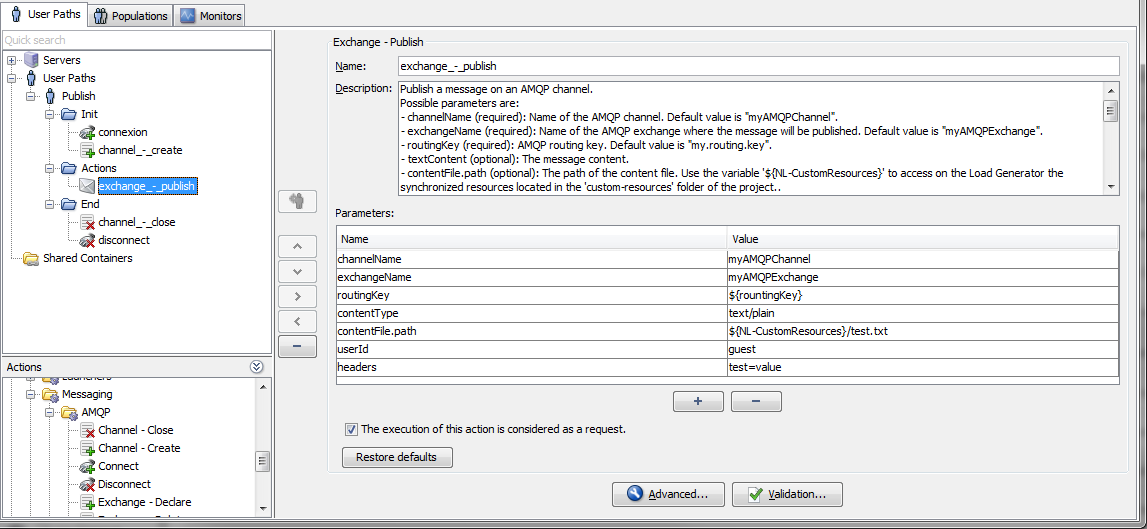
Publish and then Consume
The following User Path establishes a connection, creates a channel, creates an exchange and creates a queue in the "Init" section. In the "Actions" section, a message is published and a response is consumed. Finally in the "End" section, the queue and the exchange are deleted, the channel is closed and the connection is closed.
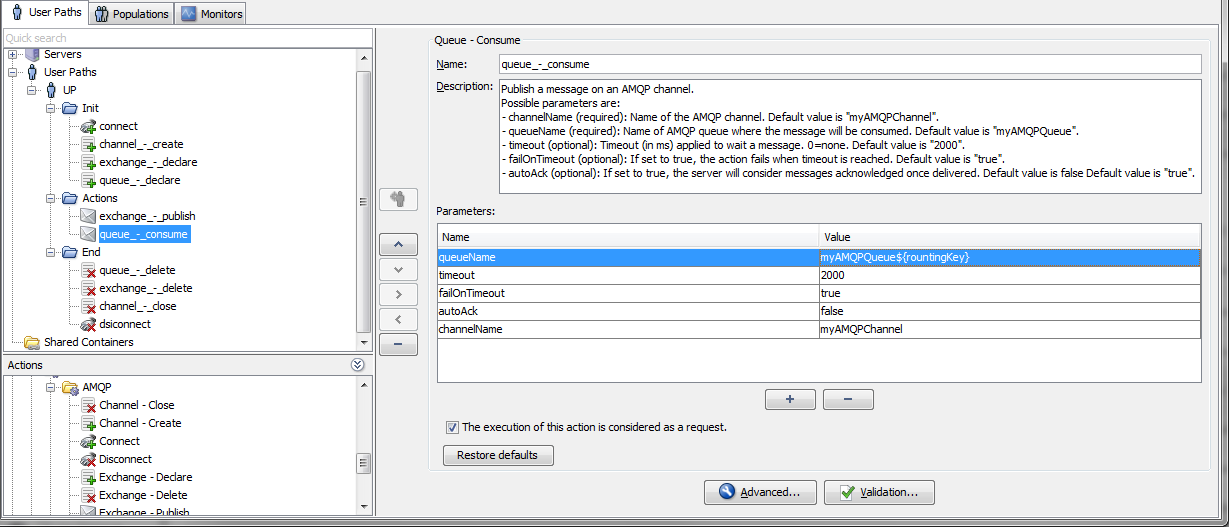
TLS Support (AMQPS)
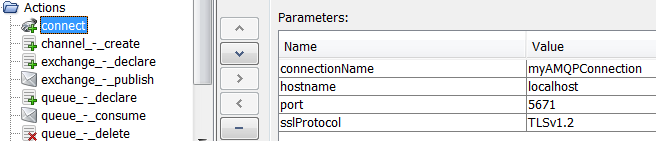
The Connect Advanced Action supports TLS (AMQPS protocol) to encrypt the communication between the client and the AMQP broker.
To enable TLS on the Connect Advanced Action, add parameter "sslProtocol" with the SSL protocol you want to use (for example TLSv1, TLSv1.2 or keep value empty for default SSL protocol).
Client and server authentication (a.k.a. peer verification) is also supported. The Connect Advanced Action can exchange signed certificates between the end points of the channel, and those certificates can optionally be verified. The verification of a certificate requires establishing a chain of trust from a known, trusted root certificate, and the certificate presented.
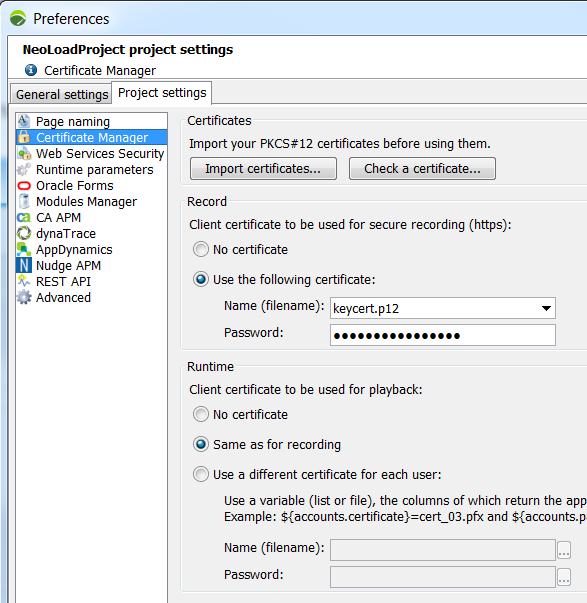
To use a X509 client certificate to negotiate the TLS communication, import the certificate in PKCS#12 format in the certificate manager of the NeoLoad project settings. See NeoLoad documentation for more details.