Test the changes
After each build of the application, developers move the changes to the QAS system for testing.
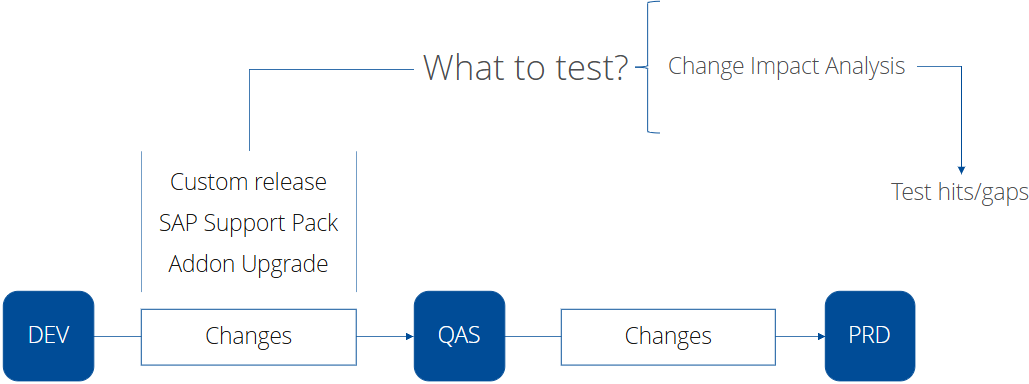
Testers and key users run the Smart Impact app against the QAS system to identify the most-at-risk objects to test—selected from the set of impacted objects—and their associated test hits and gaps.
In LiveCompare projects, End-of-Sprint Selection panels open the Smart Impact app.
The Smart Impact app identifies the following:
-
Impacted objects. These are the objects affected by the development changes.
-
Most-at-risk objects. These are the impacted objects selected by LiveCompare’s expert system for testing.
-
Hits. These are most-at-risk objects that have at least one matching test case in the Search Test Repository that you use in the Smart Impact app.
-
Gaps. These most-at-risk objects that have no matching test cases in the Search Test Repository that you use in the Smart Impact app.
The Impact Analysis Results app allows you to to review impactful objects and discover which executables they affect. You can then decide which executables belong in the test scope, select which tests to run, and decide what to do with executables that don't have any tests.
SAP team
Developers, testers and key users.