Create a manual TestStep
You can create manual TestSteps in Tricentis ARA when you need to perform manual tasks in a TestCase.
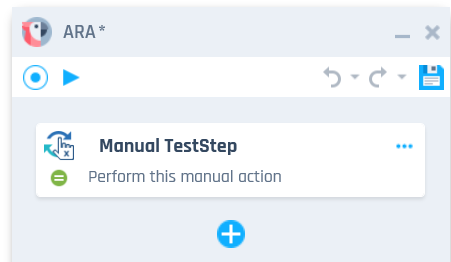
A manual TestStep in Tricentis ARA
To create a manual TestStep, follow the steps below:
-
Add manual TestSteps during recording. Or you can add them to existing recordings, provided that the existing recording has at least one TestStep.
- Click on the
 icon at the bottom of the TestStep list.
 - Enter name and value for the manual TestStep.
- Select Create teststep to create the manual TestStep.
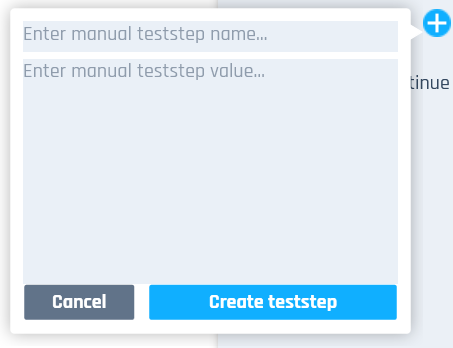
Manual TestStep dialog
Create a manual TestStep in between other TestSteps
To create a manual TestStep above or beneath another TestStep, follow the steps below:
- Click on the
 icon on next to a TestStep and select either
  Add manual teststep above or
  Add manual teststep beneath.
 - Enter name and value for the manual TestStep.
- Select Create teststep to create the manual TestStep.